Key Takeaways
- Sustained heat, not age, is the main cause of graphics card degradation — memory chips and voltage regulators deteriorate above roughly 100°C.
- Undervolting delivers close to the same performance at lower voltage and temperature, and is a better longevity strategy than overclocking or maximum fan speed.
- Thermal paste is worth replacing around the three-to-four-year mark, with thermal pads inspected at the same time.
- Custom fan curves that ramp gradually beat constant high RPM, which wears bearings without improving temperatures.
- Well-cooled data centre GPUs show better than 90% survival at six years, well beyond the five-to-six-year depreciation schedules hyperscalers use.
- Hardware often outlives its software: Nvidia ended Game Ready driver support for Maxwell, Pascal and Volta cards after October 2025, retiring otherwise functional hardware.
- In Meta’s Llama 3 training run, GPU and HBM3 memory faults caused 52.3% of 419 unexpected interruptions across 16,384 H100s in 54 days — roughly one failure every three hours.
- Mid-day ambient temperature swings alone moved that cluster’s throughput by 1–2%, showing how directly environment affects both output and wear.
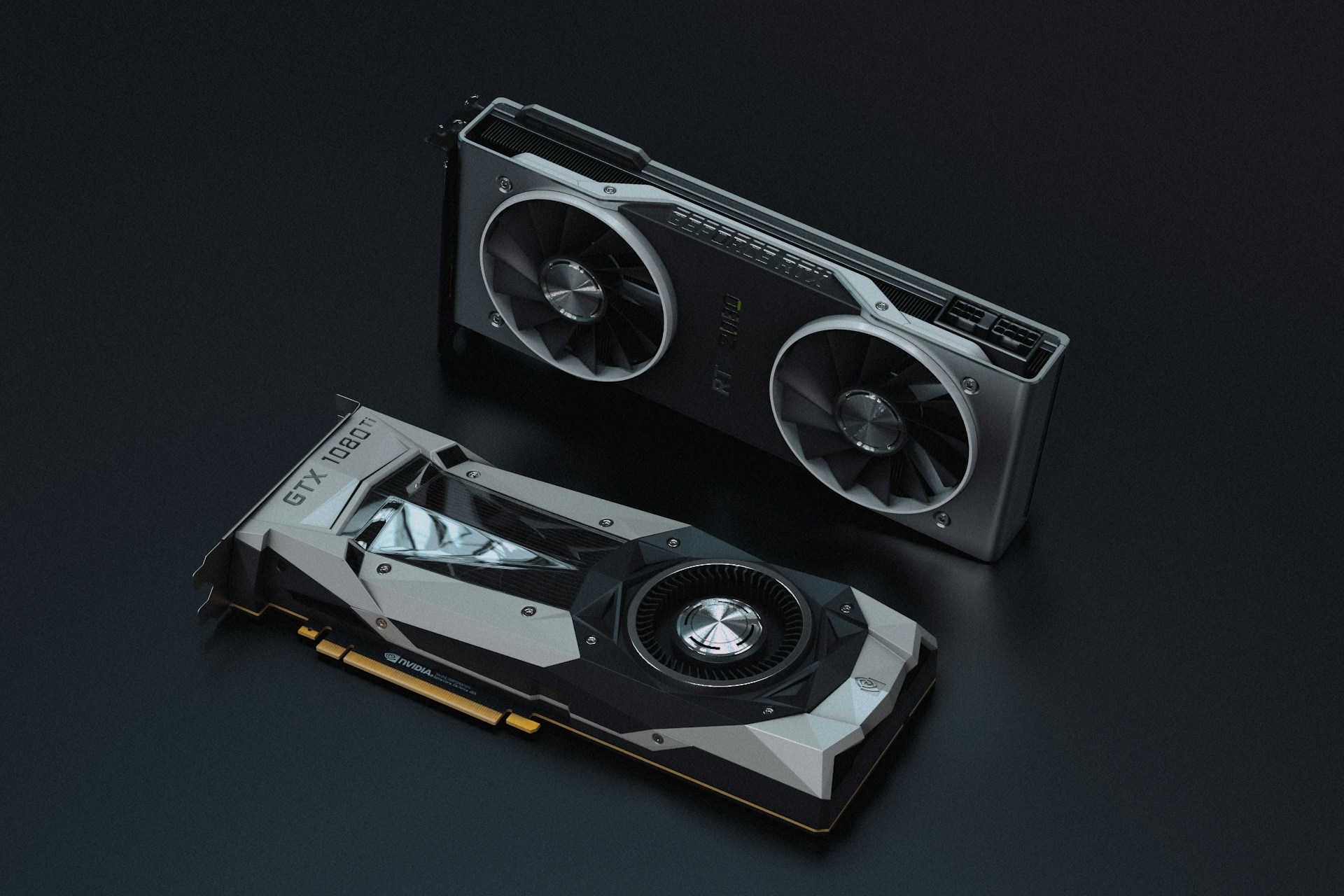
Graphics cards. Image source: Nana Dua via Unsplash, free license
To prolong the use of a GPU, control its temperature and its voltage, then keep its software supported. Those three things decide almost everything. A card held below the 80s in core temperature, undervolted slightly, cleaned once a year and running a current driver will still be doing useful work in six to eight years. The same card left in a dust-packed case, overclocked and running with a stock aggressive fan profile will show artefacts, crashes and memory errors years earlier.
The second point matters as much as the first: most GPUs are retired while they still function. Driver support ends, a framework drops the older compute capability, or the card no longer fits the memory footprint of current models. Extending useful life means planning for that software cliff, not only for the thermal one.
What Actually Wears Out in a Graphics Card
Silicon in the main processing die is remarkably durable. The parts that fail first sit around it. Memory chips and voltage regulator modules degrade when run above roughly 100°C for extended periods — they keep working, but prolonged heat exposure shortens their remaining lifespan measurably. Fan bearings wear mechanically. Thermal interface material dries out and pumps away from the die, which raises temperatures gradually until throttling starts. Solder joints suffer from thermal cycling, the repeated expansion and contraction of heating and cooling, which is why a card that idles all day and spikes to full load ten times is stressed differently from one held at steady load.
Large-scale data confirms the pattern. Meta’s Llama 3 training run used 16,384 H100 GPUs over 54 days and logged 466 interruptions, 419 of them unexpected. GPU faults accounted for 148 of those and HBM3 memory faults for another 72 — together 52.3% of the total, or about one failure every three hours. CPUs failed twice in the same period. The heat-dense parts break; the rest mostly does not.
Temperature Targets Worth Watching
Three readings matter, and most monitoring tools expose all of them. Core temperature is the headline number. Hotspot or junction temperature runs considerably higher and is the better indicator of paste condition. Memory junction temperature is the one enthusiasts most often ignore, and the one most likely to be quietly cooking a card in a poorly ventilated case.
| Reading | Comfortable under load | Warning sign | What it tells you |
|---|---|---|---|
| Core / edge temperature | 65–80°C | Sustained above mid-80s | Overall cooling and airflow |
| Hotspot / junction | Within about 15°C of core | Gap widening past 20–25°C | Thermal paste drying or pump-out |
| Memory junction (GDDR6X) | Below 90°C | Approaching 100°C+ | Thermal pad condition, case airflow |
| Fan speed at a given temperature | Stable year to year | Rising for the same load | Dust build-up or bearing wear |
A widening gap between core and hotspot is the single most useful early warning. It appears long before crashes do, and it points at a specific, cheap fix.
Undervolting: The Highest-Value Change You Can Make
Modern cards ship tuned close to their limits, so overclocking buys a few percent of performance in exchange for meaningfully more heat and power draw. Undervolting runs the opposite way. Lowering the voltage at each frequency point on the curve typically holds performance within a couple of percent while cutting power draw and temperature substantially. Lower temperature slows every degradation mechanism at once.
A power limit reduction achieves something similar with less effort. Dropping a card to 80–90% of its rated board power usually costs single-digit performance and removes a disproportionate share of the heat, because the top of the frequency curve is where efficiency collapses. For anyone running long training or rendering jobs on a workstation card, that trade is almost always worth taking — the same reasoning that shapes the choice between local GPUs and cloud GPUs, where sustained load, not peak benchmark score, determines the real cost.
Cleaning, Paste and Pads: A Realistic Schedule
Dust is the cheapest problem to solve and the most commonly neglected. It settles in heatsink fins and fan blades, raises temperatures across the board, and forces fans to spin faster, which wears them and pulls in more dust. A compressed-air clean every six to twelve months, with the fans held still so the bearings are not spun backwards, handles most of it.
Thermal paste is a longer cycle. Replacing it around three to four years after purchase restores the original core-to-hotspot gap, and it is worth inspecting the thermal pads over the memory modules and VRMs at the same time, since those degrade on a similar schedule. On cards still under warranty, check the terms first — removing the cooler voids coverage with some manufacturers.
Fan Curves, Case Airflow and the Zero-RPM Trap
Running fans at 100% permanently does not extend a card’s life. It adds needless RPMs and wear without improving thermals meaningfully once the heatsink is already saturated. A custom curve that ramps gradually with temperature keeps the card cool under load and quiet at idle.
Zero-RPM idle modes are fine for light desktop use but should be tuned so the fans engage before memory junction temperature climbs during long, low-utilisation workloads — background rendering and inference sessions are exactly the case where a card sits below the fan trigger point while its memory slowly heats up. Case airflow matters as much as the cooler itself; a card with excellent fans in a sealed case will still throttle.
Power Delivery and Connectors
High-wattage cards concentrate a great deal of current through a small connector. Seat the power connector fully, avoid tight bends immediately behind it, and use the cable supplied with the power supply rather than a daisy-chained adapter. Supporting the card against sag reduces long-term stress on the PCIe slot and the solder joints along the board. None of this is exotic maintenance; it is the difference between a card that lasts and a card that develops an intermittent fault nobody can diagnose.
The Software Cliff Most Owners Forget
Hardware longevity means nothing if the drivers stop. Nvidia confirmed the end of Game Ready driver support for Maxwell, Pascal and Volta GPUs, with optimised drivers continuing only through October 2025 before those architectures moved to legacy status. For AI work, the equivalent limit is compute capability: frameworks progressively drop support for older generations, and a card that runs fine may simply stop being a valid target for current libraries.
Planning around this is straightforward. Buy generations that are early in their support window rather than late, keep a working driver version archived before an architecture goes legacy, and treat memory capacity as the practical ceiling for model work — an older card with plenty of VRAM often remains more useful than a newer one without it, as anyone running local models on a laptop discovers quickly.
How Data Centre Operators Extend GPU Life
Professional operators reach far longer service lives than the accounting suggests, and their methods translate downward. They cool aggressively, monitor continuously, and match workload to hardware age rather than running everything flat out.
| Practice | Data centre approach | Home or workstation equivalent |
|---|---|---|
| Cooling | Direct liquid cooling for 700W–1,400W parts | Good case airflow, clean heatsink, fresh paste |
| Monitoring | Continuous telemetry with alert thresholds | Logged temperature and fan-speed tracking |
| Workload matching | Older GPUs moved from training to inference | Older card handed down to lighter tasks |
| Power stability | Managed ramping to avoid grid swings | Quality PSU with headroom |
| Environment | Controlled ambient temperature | Room ventilation, not a sealed cupboard |
The payoff is documented. Survival data on well-cooled fleets shows better than 90% of GPUs still running at six years, while hyperscalers depreciate the same chips over five to six years for accounting purposes. The gap between those two numbers is the value that good thermal management recovers. Cooling remains the active research frontier here, from warm-water loops in Nvidia Blackwell servers to microfluidic channels etched close to the silicon.
Knowing When to Stop Maintaining and Start Replacing
A card is worth retiring when repeated crashes trace to memory errors, when the core-to-hotspot gap stays wide after new paste, or when its architecture loses driver and framework support. Before that point, maintenance is almost always cheaper than replacement. After it, the residual value is higher if the card still runs cleanly, so selling or reassigning it while it works beats holding it until it does not.
For anyone planning capacity rather than caring for a single card, the same variables — thermal headroom, power stability and support lifetime — drive the specification of a premium AI infrastructure system, and they determine how long a given cluster stays economically useful once model training runs start measuring in weeks rather than hours.
If you are interested in this topic, we suggest you check our articles:
- Local GPUs vs Cloud GPUs for AI: When Does Each Option Make Sense?
- NVIDIA Blackwell Server: Specs, Power and Capabilities
- Microsoft Microfluidic Cooling Stops AI Chip Overheating
- What Is Required for a Premium AI Infrastructure System?
- Local AI Models: Run LLMs on Laptop & Phone
Sources: WhiteFiber, XDA Developers, Tom’s Hardware, Data Center Dynamics, Tom’s Hardware (driver support), TechPowerUp
Written by Alius Noreika