
Google has unveiled two new features for its Gemini AI assistant: Canvas and Audio Overview. Canvas provides an interactive workspace for writing and coding, allowing users to edit and refine their work in real time. Meanwhile, Audio Overview introduces a podcast-style discussion feature that transforms written content into engaging, dynamic dialogues. With these updates, Gemini is positioning itself as a more immersive AI collaborator, streamlining both content creation and code development.
Image source: Samimi Haber
Canvas: A New Way to Code and Write
Canvas introduces an interactive workspace where users can create and refine documents and code in real-time. Unlike static AI interactions, this feature enables an iterative process, allowing users to edit, adjust tone, reformat, and refine their work directly within the Gemini AI environment.
For developers, Gemini AI Canvas offers a live preview mode, making it easy to see how changes impact the final output without switching between applications. Whether building web prototypes, debugging scripts, or exploring programming concepts, this functionality streamlines the development process. Users can also export their work to Google Docs, making collaboration and sharing seamless.
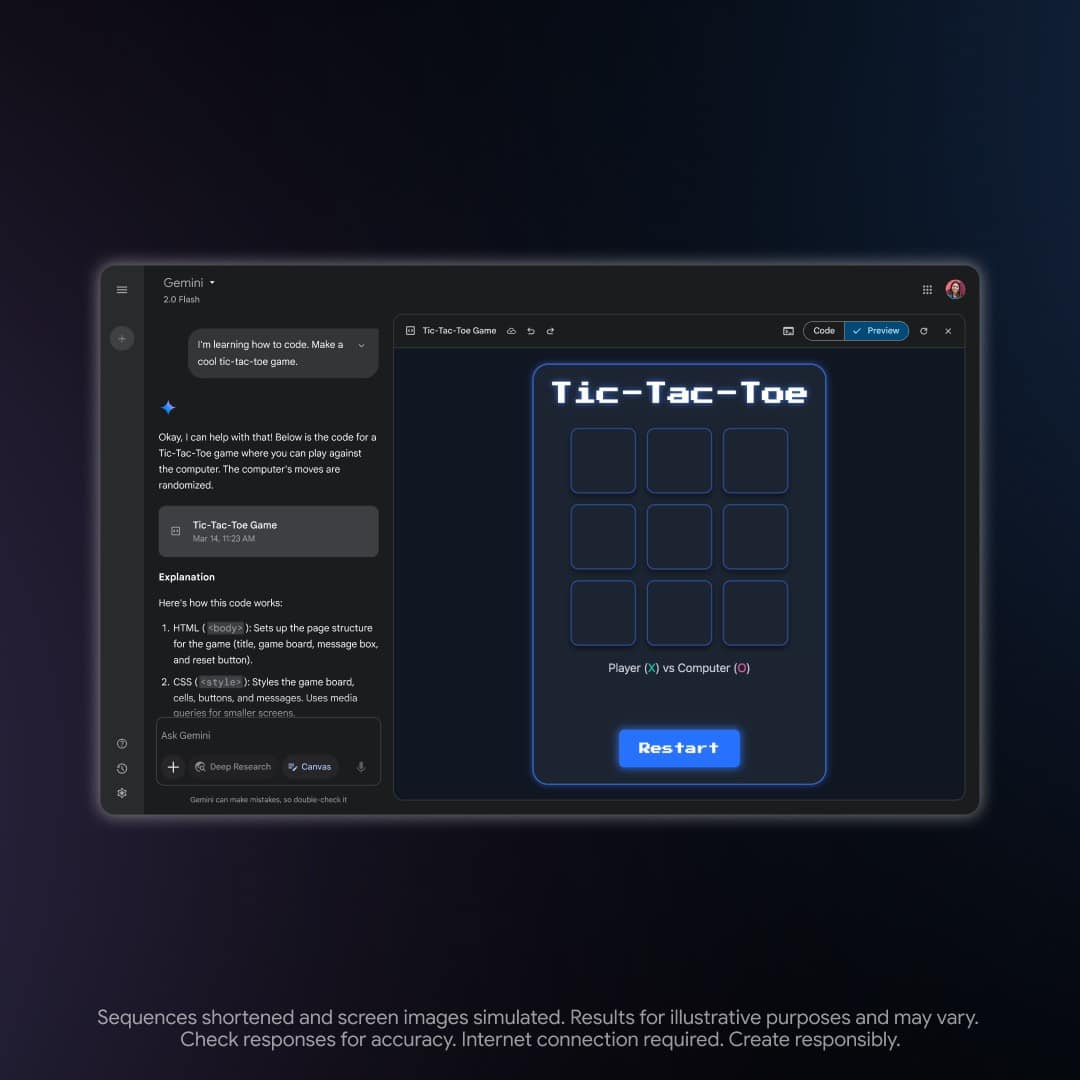
Coding using Gemini’s new Canvas tool. Image source: Tech Crunch
Audio Overview: Transforming Text into Podcast-Style Conversations
Audio Overview takes a different approach by converting documents, research papers, and presentations into dynamic, into “podcast-style discussion between two AI hosts”. Initially introduced in NotebookLM, this tool synthesizes information into a two-person AI dialogue that highlights key points, connects ideas, and presents the content in an engaging format.
This feature is particularly useful for those who prefer listening over reading, providing a way to absorb complex information while multitasking. Gemini AI users can upload files and instantly receive an AI-generated discussion summarizing the material. While currently available only in English, Google plans to expand language support in the future.
The Competitive Landscape and What’s Next
These additions come as competition in the AI workspace intensifies. Companies like OpenAI and Anthropic have released similar tools, and even the naming of these features has become a point of rivalry—both Google and OpenAI now offer a tool called Canvas.
Closing Thoughts: AI as an Interactive Collaborator
With Canvas and Audio Overview, Gemini AI is moving beyond static AI assistance and becoming a more dynamic collaborator. These features make AI interactions more natural, helping users refine their writing, develop code, and engage with information in new ways. As these tools evolve, they will continue shaping how professionals and creatives interact with AI, making content creation more efficient and intuitive.
Sources: The Verge, Google, Tech Crunch
