Key Takeaways:
- Claude Cowork runs only as a desktop application on macOS and Windows. There is no web or mobile version that performs the actual work, though Pro and Max subscribers can send tasks from a phone to a running desktop.
- macOS needs version 11 (Big Sur) or newer to install Claude Desktop, and the Cowork sandbox relies on Apple’s Virtualization framework, which works on both Apple Silicon and modern Intel Macs.
- Windows needs Windows 10 or newer on x64 hardware. Windows on Arm (arm64) is not yet supported for Cowork.
- Windows edition matters. Cowork’s virtual machine depends on the full Hyper-V stack, which ships with Pro, Enterprise, and Education but not with Windows Home.
- A paid Claude plan is mandatory — Pro, Max, Team, or Enterprise. Free accounts get chat, not Cowork.
- The app stays open the whole time. Close it or let the computer sleep, and any running task stops.
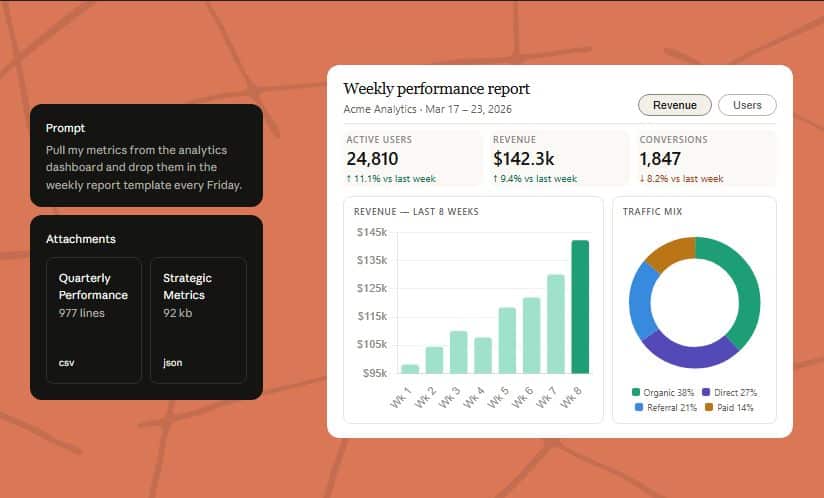
Working with Claude Cowork. Image credit: Anthropic
Claude Cowork works on two desktop platforms: macOS 11 (Big Sur) or later and Windows 10 or later on x64 processors. It does not run in a browser or on a phone as a standalone tool. The reason the operating system matters so much comes down to how Cowork executes work — it spins up an isolated virtual machine on your own computer, and that VM leans directly on the platform’s built-in hypervisor. On a Mac that means Apple’s Virtualization framework; on a PC that means Hyper-V.
So the short answer to “what system software is compatible” has two layers. First, you need a supported operating system version. Second, and this trips up plenty of Windows users, you need a build of that operating system that actually includes the virtualization features Cowork depends on. A recent enough macOS covers both layers at once. On Windows, the version number alone is not the full story — the edition decides whether the virtual machine can start.
What Is Claude Cowork and Why Do System Requirements Differ From Regular Chat?
Cowork brings the agentic engine behind Claude Code into the Claude Desktop app, aimed at knowledge work rather than software development. Claude Cowork uses the same agentic architecture that powers Claude Code, now accessible within Claude Desktop and without opening the terminal. Instead of trading one prompt for one reply, you describe an outcome, walk away, and return to finished files.
That hand-off model is exactly why Cowork carries heavier system demands than a chat window. When you start a task in Cowork, Claude analyzes your request and creates a plan, breaks complex work into subtasks when needed, runs code and shell commands in an isolated virtual machine (VM) on your computer, coordinates multiple workstreams in parallel if appropriate, and delivers finished outputs directly to your file system. Running a real VM on your machine is the part that sets the hardware and operating-system bar.
Anthropic splits Cowork’s work across two separate environments on every device. The agent loop runs natively on the device — this includes Claude’s conversation handling, file reads and writes in connected folders, web fetches, and local plugin MCP servers. The riskier half is walled off: shell commands and any code Claude writes execute inside a dedicated Linux VM, isolated from the host operating system by the platform’s hypervisor — Apple Virtualization.framework on macOS, Hyper-V on Windows. That single sentence explains the whole compatibility picture. Your operating system has to provide a working hypervisor, or the code-execution half of Cowork has nothing to run inside.
Claude Cowork System Requirements at a Glance
| Component | macOS | Windows |
|---|---|---|
| Minimum OS version | macOS 11 (Big Sur) or later | Windows 10 or later |
| Processor architecture | Apple Silicon (M-series) or modern Intel | x64 only — arm64 not supported |
| Virtualization layer | Apple Virtualization framework | Hyper-V (full stack) |
| Required Windows editions | Not applicable | Pro, Enterprise, or Education |
| Subscription | Paid plan (Pro, Max, Team, Enterprise) | Paid plan (Pro, Max, Team, Enterprise) |
| Internet | Active connection throughout the session | Active connection throughout the session |
| App requirement | Claude Desktop app open and running | Claude Desktop app open and running |
The baseline operating-system numbers come straight from Anthropic. For Claude Desktop, macOS 11 (Big Sur) or higher and Windows 10 or higher are required. Cowork itself rides on top of that desktop app, and its availability is tied to the subscription rather than to any extra installer.
Currently existing Gen AI tools can greatly simplify the planning and execution of administrative tasks. Image credit: Sincerely Media via Unsplash, free license
macOS Compatibility: What Apple Users Need
On a Mac, the requirements are refreshingly clean. You need macOS 11 (Big Sur) or newer, and the Cowork sandbox uses Apple’s Virtualization framework — a system component Apple ships as part of the operating system. Both Apple Silicon Macs (M1 and the chips that followed) and Intel Macs with virtualization support can run the isolated Linux VM.
There is no separate “edition” question on macOS the way there is on Windows. If the Mac is new enough to install a current Claude Desktop build, the hypervisor Cowork needs is already present. Anthropic also publishes a small readiness checker for macOS that confirms your machine can run Cowork before you commit. If you haven’t installed Claude Desktop yet and want to check if your computer will support Cowork, you can download a simple program that runs a readiness check, and if you see “This computer is ready for Cowork,” you can move forward.
Windows Compatibility: The Edition and Architecture Catch
Windows is where the real nuance lives. Two conditions decide whether Cowork works, and both go beyond the headline “Windows 10 or later.”
The first is processor architecture. Cowork supports x64 chips. Windows on Arm (arm64) is not currently supported — a limitation Anthropic notes directly, and one that affects the growing number of Snapdragon-based Windows laptops.
The second is the Windows edition, and this is the trap. Cowork’s virtual machine requires the complete Hyper-V stack, specifically the Virtual Machine Management Service. Windows Home does not include that service. Home ships only the lighter Virtual Machine Platform and Windows Hypervisor Platform, which are enough for some container tools but not enough to start Cowork’s sandbox. The full Hyper-V components live in Windows Pro, Enterprise, and Education. Users on Windows Home have reported errors such as a failed virtiofs mount or a missing vmms service when they try to launch Cowork — symptoms that all trace back to the same missing virtualization layer rather than to anything fixable inside the app.
You can verify your edition quickly. Open PowerShell and run Get-Service vmms. If the service is not found, your Windows edition cannot run Cowork as installed. Anthropic provides separate readiness checkers for both Windows x64 and Windows arm64, so you can test your specific machine before installing.
Installation and Setup Software Requirements
Beyond the operating system, a few software conditions round out compatibility. Cowork is not a free-standing download — it lives inside Claude Desktop and is gated by your plan.
Cowork requires the desktop app for macOS or Windows and is not available on web or mobile; it is available to paid Claude plans (Pro, Max, Team, Enterprise) only; and an active internet connection is required throughout the session. The app also has to stay running. The Claude Desktop app must remain open while Claude is working — if you close the app, your session will end. The same applies to scheduled tasks, which only run while your computer is awake and the Claude Desktop app is open.
On Windows specifically, the installer format affects whether the VM service registers correctly. The supported path uses the MSIX package. If Cowork was installed through an older .exe/Squirrel installer, the VM service may never appear. “VM service not running” indicates that the Claude VM Service (CoworkVMService) isn’t available; this can happen if you installed Cowork via the older .exe/Squirrel installer instead of MSIX, and the fix is to reinstall from the download page or start the service. One quirk worth knowing: some corporate machines block MSIX installs by policy, which can stop installation before Cowork is ever reached.
A second Windows storage gotcha can also break setup. An “EXDEV: cross-device link not permitted” error happens when the VM image download crosses a drive boundary — most often when Settings > System > Storage > “Where new content is saved” points at D:\ instead of C:, and the fix is to set storage back to C:, then uninstall and reinstall Cowork.

Project management team. Image credit: Priscilla Du Preez via Unsplash, free license
What Happens on Hardware That Can’t Start the VM?
Cowork degrades rather than dies if the virtual machine fails to launch. Cowork continues running file and web tools while the VM is unavailable, and shell commands and code execution report “workspace unavailable” until the VM recovers. In practice that means file reads, file writes, and web fetches keep working, but anything that depends on running code — generating a spreadsheet with live formulas, processing a dataset, executing a script — will stall until the sandbox comes back. That is the clearest sign that your system software, not the app, is the bottleneck.
Why the Virtual Machine Sits at the Center of Compatibility
It helps to picture Cowork as two machines sharing one computer. One does the thinking and touches your files; the other does the dangerous part — running arbitrary code — behind a locked door. The lock is the hypervisor, and only certain operating system builds hand Cowork the key.
That design also explains a security trade-off for managed environments. The VM is isolated from host-based security tools by design, so endpoint detection (EDR) tools cannot inspect activity inside it — which administrators should weigh before a rollout. The same isolation that makes Cowork safer to run is the same isolation that makes its system requirements non-negotiable: no compatible hypervisor, no sandbox, no Cowork.
For most readers the practical takeaway is simple. A Mac on Big Sur or later works out of the box. A Windows PC works if it runs Windows 10 or later, uses an x64 chip, and runs Pro, Enterprise, or Education — not Home. Check the edition first, run Anthropic’s readiness tool, and you will know in seconds whether your machine is ready.
If you are interested in this topic, we suggest you check our articles:
- Which AI LLM is Best for Vibe Coding?
- 15 AI Agent Concepts You Must Consider
- Productivity Perfected: The Top 10 AI Approaches
Sources: Get started with Claude Cowork (Anthropic), Claude Cowork desktop architecture overview (Anthropic), Install Claude Desktop (Anthropic), Cowork Windows Pro/Enterprise requirement (GitHub)
Written by Alius Noreika