
There’s truly a wide selection of AI coding tools on the market. However, a flashy description and a list of features aren’t always enough — what we’re really looking for is real user experience. In this article, we’ll review a few reliable and thoroughly tested coding tools.
AI Coding Tools to Boost Productivity
From a broader perspective, AI coding tools give developers more freedom. This results in increased productivity, as these systems automate repetitive coding tasks, allowing users to focus their time elsewhere.
Additionally, mental load decreases because AI tools can solve challenges in real time, offer quick solutions, and as mentioned earlier, handle routine tasks. When working in a team, this also helps ensure consistent work aligned with standards and best practices.
Top 5 AI Coding Tools
Though designed for similar purposes, these tools offer different possibilities. Some provide a fully functional development environment with coding capabilities, while others focus on AI-driven interaction via chat, commands, or smart agents. Powerful language models that understand both code and natural language may also be integrated.
Cursor
This tool is designed for code creation, refactoring, debugging, and documentation in a VS Code environment with an AI interface that tightly integrates with LLMs.
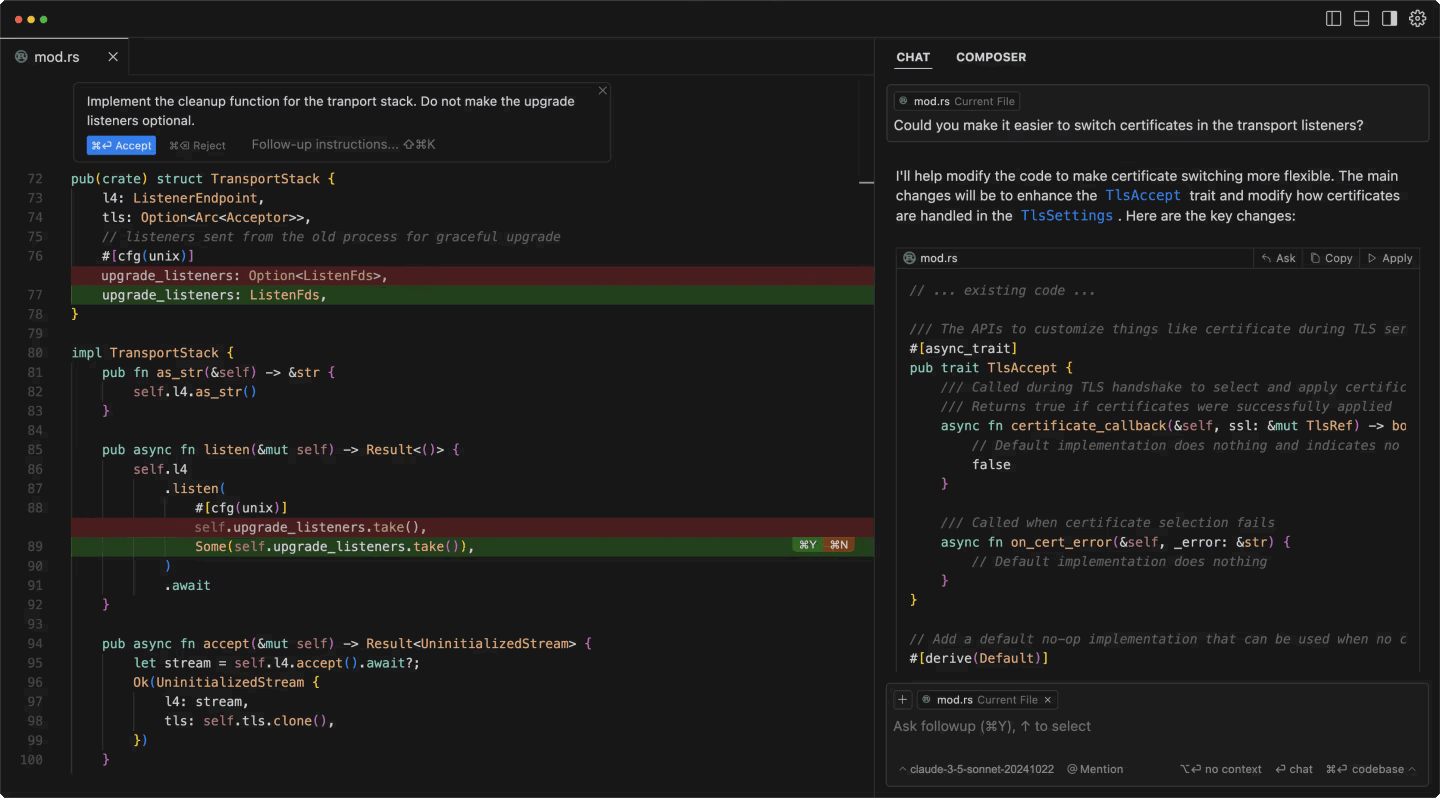
Cursor IDE interface showing split view with code editor and AI chat. Image source: n8n
Although feature-rich tools like Windsurf offer similar capabilities and a smoother onboarding experience, Cursor takes a more technical approach that may require some time to master its various modes and features.
Here you’ll find:
- Smart code assistance — AI code completion, explanations, inline refactoring, image/screenshot support, and advanced codebase indexing.
- Multiple AI modes. This includes a standard editor with AI tab commands, interactive chat mode, or agent mode.
- Advanced tools such as terminal command generation, automatic test creation, documentation writing, and multi-file refactoring.
- Flexibility. Integration with Claude 3.5 Sonnet and GPT-4, API key support, and private mode in the business plan.
Cursor Pricing
- Free tier: 2,000 completions, 50 premium requests.
- Paid tiers from $20/month: Unlimited completions, 500 quick premium requests.
Windsurf
One of the AI coding tools that is highly effective for accelerating the development process in real-world use.
It offers autocomplete, chat, and search functions for more than 70 programming languages, along with a smooth installation process. One of the major advantages is its autocomplete feature, the IDE-integrated chat window that eliminates the need to switch from VSCode, and broad language support.
Essentially, using this AI coding tool and its auto-refactoring capabilities, code efficiency and clarity can be significantly improved with minimal effort — simplifying implementation and enabling faster solution delivery.
Windsurf Pricing
The tool offers a free version with basic features suitable for individual developers. More advanced projects can access paid plans starting at $15/month.
GitHub
Another tool closely associated with real-time code support, pair programming, code review, documentation generation, and debugging in various development environments. Essentially, it’s an AI pair programming tool combining real-time suggestions with interactive chat.
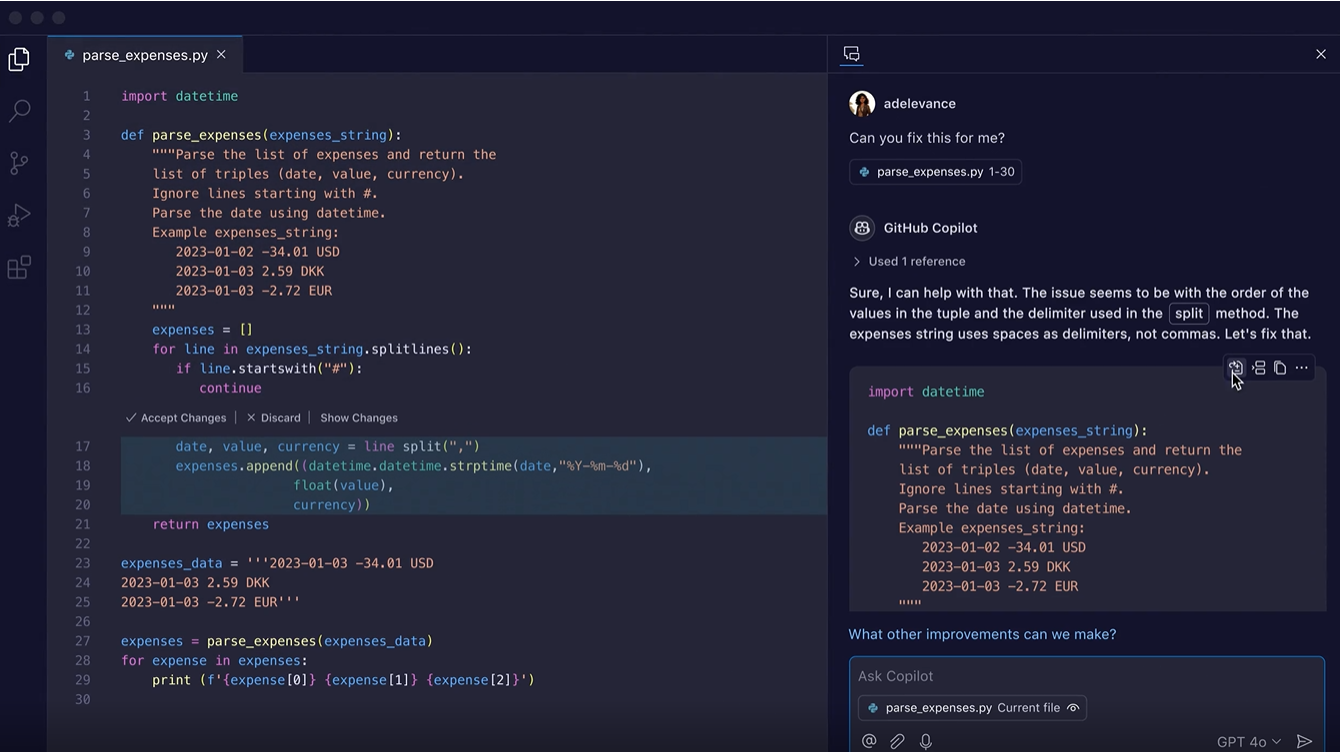
GitHub Copilot interface demonstrating code suggestions and chat panel. Image source: n8n
Based on real-world usage, this tool — unlike many other AI coding tools — is deeply integrated into the GitHub ecosystem and supports multiple environments. That means you get intelligent code generation (contextual editing, support for multiple languages), interactive coding support (explanations, query summaries), integration with various environments including VS Code, JetBrains IDEs, Azure Data Studio, enterprise features (knowledge base), and flexible AI model support (GPT-4o, Claude 3.5 Sonnet, Gemini, etc.).
GitHub Copilot Pricing
- Free version with 2,000 completions and 50 chat messages per month.
- Free for students, teachers, and developers of popular open-source projects.
- Paid plans from $10/month.
Bolt.new
This tool is focused on web app development, rapid prototyping, and AI-based coding in a browser-based environment. It runs on WebContainers technology, combining a user-friendly cloud IDE interface with powerful AI support.
While there are AI coding tools that offer more customization options, this tool provides a simple, zero-setup experience. In addition, users of this platform can build native Android apps.
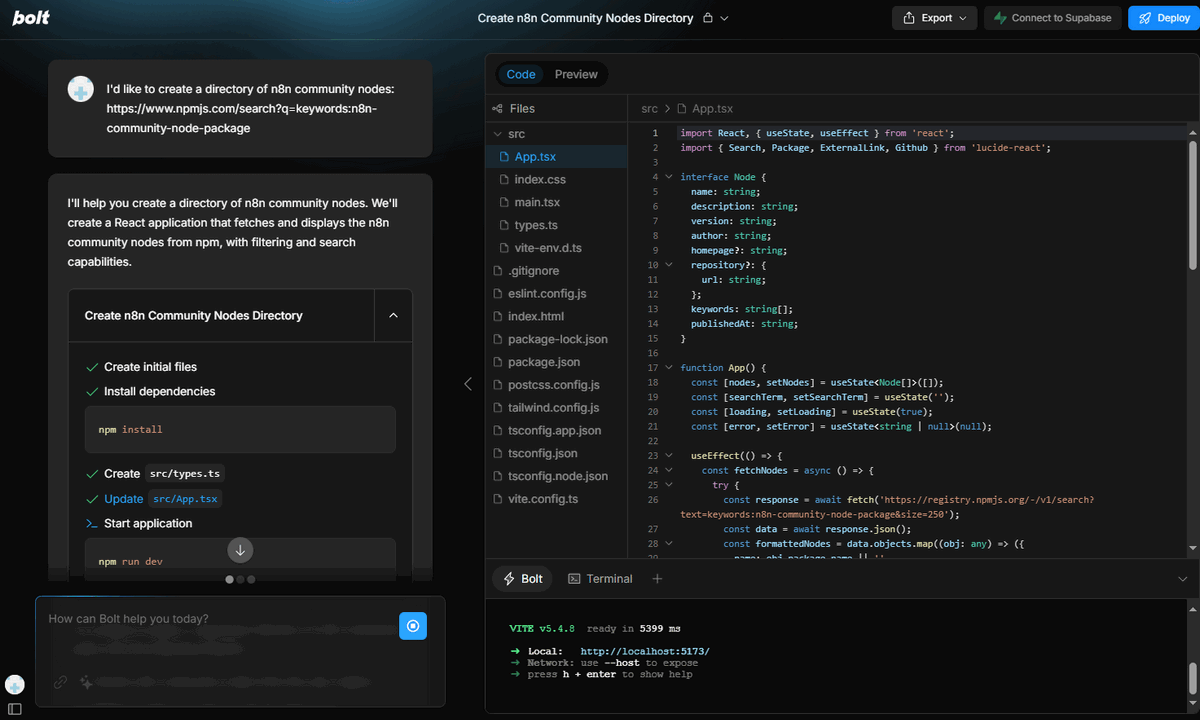
Bolt.new browser-based coding AI tools with split view, code editor and AI chat for rapid web development. Image source: n8n
With this tool, you get an AI development environment (natural language code generation, editing, file system management, etc.), full project control (versioning, editing, easy Netlify deployment, GitHub repo import), collaboration tools (team environments, edit tracking), and other AI features including system prompts, bug fixes, and contextual code suggestions.
Bolt.new Pricing
- Free: 150K daily tokens.
- $20/mo: higher limits.
Replit
This tool stands out by combining assistance with an interactive development environment. That’s its defining strength. Here you’ll find advanced inline suggestions, real-time code feedback that speeds up development, detailed code explanations, and automatic error detection.
Moreover, the platform offers an interactive learning environment, where both beginners and experienced developers can learn to code — making it more educational compared to other tools.
Replit Pricing
Individual usage is free, with subscription plans available — a basic plan at $7/month or a Pro plan with extended features at $20/month.
Final Thoughts
The market for AI coding tools is massive, but each choice depends on individual expectations, skills, and the nature of your tasks. For example, Replit might be valuable for its broad educational support, Bolt.new is great for web app projects, while Cursor offers a wide range of advanced features.
If you are interested in this topic, we suggest you check our articles:
