Dialogue changes late in a project: a quest is rewritten, a line is cut, a new scene appears. If each change needs a studio session, characters end up with uneven performances or missing lines. This guide shows how to use free voice cloning to give each character one reusable voice, so new lines sound like the same person.
Why Give Each Game Character a Reusable Voice Clone?
Because a character is recognized by sound, and a clone lets you add lines without a new session. Pollo AI’s voice cloning generates dialogue, narration and character lines from one reusable clone.
| Production situation | Without a clone | With a reusable clone |
| Late script changes | Book the actor again | Generate the new line |
| Long series or many episodes | Voice varies across sessions | Same voice every episode |
| Prototype scenes | Placeholder audio | Character-specific audio early |
| Narrator plus characters | Several recordings to manage | One clone per voice |
How Do You Keep a Character’s Voice Consistent Across Scenes?
Create one clone per character, keep a line library, and generate new dialogue from it. Follow these steps:
- Define each character’s voice. Write a short note on tone, pace and attitude.
- Record a clear reference. Use your own voice or a performer who has agreed to the use.
- Create one clone per character. Name each one so it’s easy to find.
- Write lines in short sections. One idea per line makes pacing easier to adjust.
- Generate dialogue and narration. Create each line from the matching clone.
- Put the voices on screen. If your project has an anime look, create an anime video with your character’s cloned voice to test how a scene plays.
- Keep a line log. Track which lines are final so updates replace the right audio.
Which Projects Benefit Most From Cloned Character Voices?
Story-driven projects with a lot of dialogue.
| Project | Why it fits |
| Indie games | Small teams need flexible dialogue |
| Animated series | Many episodes with recurring characters |
| Visual novels | Large amounts of spoken text |
| Story videos | Narration and character lines together |
How Do You Clone a Voice With Pollo AI?
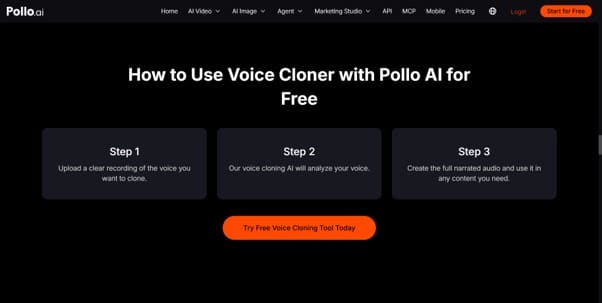
Pollo AI turns a recording into a reusable voice in three steps.
- Upload a clear recording of the voice.
- Let the voice cloning AI analyze it.
- Create the full audio and use it in your project.
Only clone voices you own or have permission to use.
Ready to Voice Your Characters With Pollo AI?
Pick one character and one scene. Clone the voice in Pollo AI, generate three lines, and listen to how the scene plays. You can start for free, so the first test costs only a few minutes.