A creator planning a video or podcast may know the scene, mood, and audience before knowing what the music should sound like. Turning that loose brief into a playable song concept creates something concrete to accept, reject, or reshape. A quick draft is valuable when it clarifies direction rather than merely filling silence.
These tools offer different routes from a description, lyric, or musical prompt to an audible idea. The right one depends on how much of the song is already specified and how much room the creator needs to explore before production begins.
The Five Tools
1. AISong
Product view: AISong
Where It Enters the Workflow
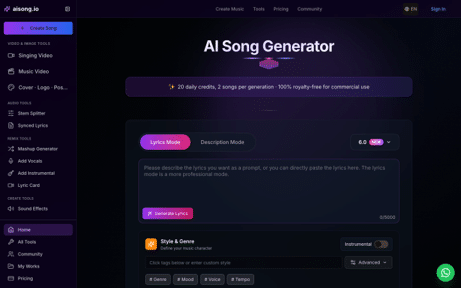
AISong makes sense when the brief calls for a song with a recognizable vocal idea rather than neutral background sound. A creator can begin from a description or supplied lyrics and specify style, mood, voice, and tempo. That gives a rough content concept enough identity to test against an opening scene or campaign hook.
What to Listen for First
Treat the AI Song Generator as a pitch room. Write one prompt about the audience and story, generate contrasting drafts, then place each chorus under the real visual rough cut. The winning version is the one that clarifies the content’s emotion; a technically impressive track that fights the edit is not the better choice.
The Decision It Helps Make
AISong is worth prioritizing when the content needs a memorable vocal hook. If the episode or clip only needs unobtrusive texture, a full-song approach may be more than the brief requires.
2. MakeSong
Product view: MakeSong
Where It Enters the Workflow
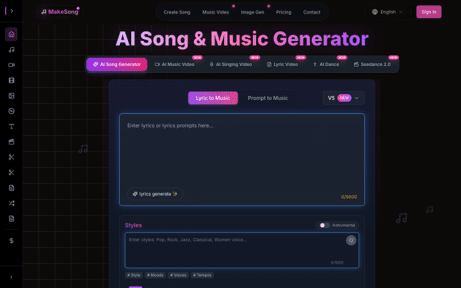
MakeSong’s main workspace also supports prompt-led and lyric-led music creation. It is a useful comparison when the creator wants to define duration, vocal character, style, and energy before deciding whether a full song or a shorter musical bed is needed.
What to Listen for First
Use an AI Music Generator to test two briefs with different roles: one where music is the featured idea and one where it supports speech or images. Listen for the amount of space left for narration and whether the opening seconds establish the intended mood. That distinction should drive the later video plan.
The Decision It Helps Make
MakeSong helps compare featured-song and supporting-music directions within a creator’s actual format. Choose it when the team is still deciding how prominent the audio should be in the finished work.
3. Suno
Product view: Suno
Where It Enters the Workflow
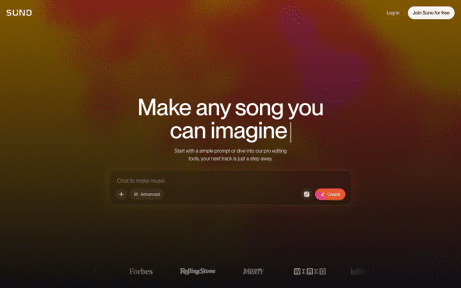
Suno’s text-to-song flow is strongest for quickly hearing a complete musical interpretation of a loose concept. A content producer can bring a scene, a feeling, or a short subject line and obtain a vocal song rather than a bare loop.
What to Listen for First
Try a short, concrete prompt before adding many genre labels. Compare where the hook arrives and whether its words fit the intended audience. Suno is useful for deciding whether the original concept merits a featured song, even if the final recording will be developed elsewhere.
The Decision It Helps Make
Suno is useful for a creator who needs to hear a loose idea as a complete song almost immediately. The next step is selective editing, not assuming that the first polished output is publishable.
4. Udio
Product view: Udio
Where It Enters the Workflow
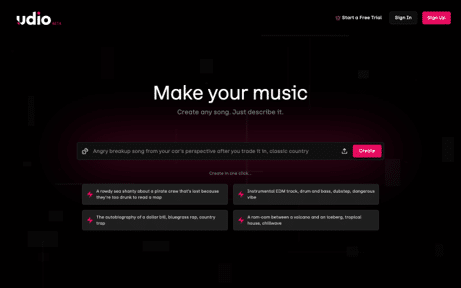
Udio suits creators who want to explore alternate sonic identities before locking a direction. Its prompt-driven creation and variation workflow can uncover a surprising fit for a series or character without requiring a complete lyric at the outset.
What to Listen for First
Write down the non-negotiable story beat, then vary instrumentation or energy while leaving that beat intact. Judge the outputs against a real thumbnail, script, or first scene. The point is to discover a coherent musical language, not to collect unrelated interesting clips.
The Decision It Helps Make
Udio earns its place when the creative team has not agreed on style. Several coherent alternatives can make a vague disagreement concrete, provided everyone judges them against the same project brief.
5. Google Flow Music
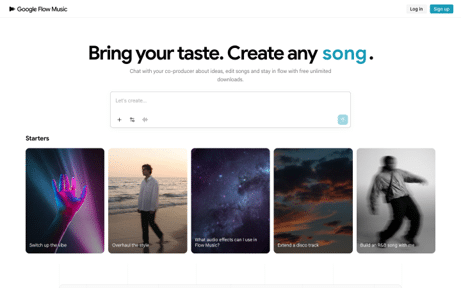
Product view: Google Flow Music
Where It Enters the Workflow
Google Flow Music now occupies the URL formerly used by Riffusion. Its current page invites creators to develop full songs through a conversational co-producer, making it relevant to early concept exploration rather than only short audio sketches.
What to Listen for First
Start with a concrete scene and ask for two directions that keep the same emotional center. Compare which suggestion gives the creator a clearer brief for the next edit. Its conversational approach can help refine a vague idea, but the final choice still needs to work under the actual content.
The Decision It Helps Make
Google Flow Music fits the creator who thinks through conversation and iteration. Its current workflow goes beyond the old Riffusion label, so treat it as a present-day co-production option rather than an archival tool.
Choose the Idea That Helps the Content
AISong, MakeSong, and Suno can establish a song-shaped center quickly; Udio widens the search space, and Google Flow Music offers a conversational path for shaping a rough brief. Test the best candidate under the actual content rather than judging it in an empty player. The right draft makes the story clearer and gives the creator a direction worth refining.
Editorial note: Features, credits, limits, and licensing terms may change. Verify current product pages and plan terms before commercial publication.