To make sure you never run out of ideas or skills in your creative process, Steve AI – an artificial intelligence (AI) tool – is here to support you in visual content creation. From now on, video creators, marketers, and sales professionals can save time while producing campaigns that are just as high-quality as ever.
What is Steve AI
It’s a patented AI tool that allows you to create videos and animations. The name came from the desire to give AI a human touch, just like other tech products such as Apple’s Siri.
Steve AI 3.0 is your assistant that helps streamline the video production process. It generates videos from prompts, scripts, or audio input and offers more than 7 output video styles. You’ll be able to choose from over 300 AI avatars and find inspiration in a rich image library.
What Use Cases Will You Find With Steve AI?
The platform offers advanced AI tools and solutions across 4 main areas: Education, Training, Marketing, and Personal.
Education
Kids Video Maker – Turn your ideas into creative content that engages and delights children.
ChatGPT Video Maker – Easily turn a script generated by ChatGPT into a real video.
Audio to Video – Transform your existing audio recordings into visual content. For example, lectures can be turned into videos featuring AI avatars, subtitles, and background visuals.
With the tools below, you can turn your existing educational content into visually engaging videos, helping your audience better retain information. Content in different formats such as PDFs or blog posts can be transformed into easily shareable videos.
- Education Video Maker
- Online Course Creation
PDF to Video Maker - Instructional Video Maker
- Cartoon Video Maker
- Text to Video Converter
- Blog to Video
- Timeline Video Maker
- Generative AI Video Maker (includes more than 50 generative AI themes – from anime to 2D animation)
- AI Video Maker
- Add Text to Video
Training
Another key Steve AI use case is in the training field. The features listed below let you create various training videos by integrating voiceovers or AI avatars.
- AI Script Generator
- Training Video Maker
- AI Voice Over Video Maker
- AI Microlearning Video Maker
- Onboarding Video Maker
- Tutorial Video Maker
- AI Script to Video Maker
- Real Estate Video Maker
- Multilanguage Video Maker
- Internal Communication Video Maker
- AI Animated Video Maker
- AI Talking Head
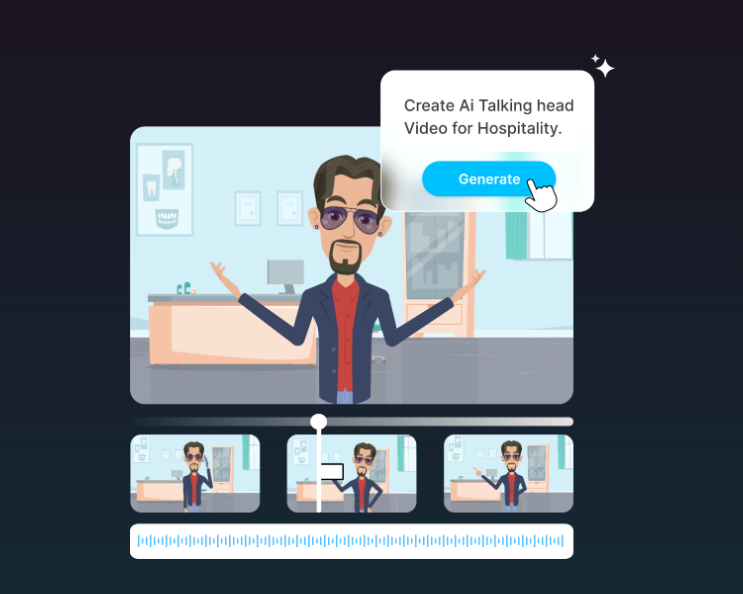
You can convert your existing audio material into video format with talking AI characters. Image source: Steve AI
Marketing
This section includes AI tools for creating marketing and commercial videos tailored to various social media platforms.
- AI Motivational Video Maker
- AI Shorts Maker
- AI Marketing Video Maker
- Product Video Maker
- Explainer Video Maker
- AI Promo Video Maker
- Video Ads Maker
- Social Media Video Maker
- Slideshow Video Maker
- Outro Video Maker
- Testimonial Video Maker
- AI Video Meme Maker
Personal
You don’t have to be a business user to benefit from Steve AI. This tool is also perfect for personal projects – like creating a beautiful photo video album, generating a birthday greeting, or compiling memories from a past trip.
- AI Video Generator
- AI Faceless Video Generator
- Photo Video Maker
- Invitation Video Maker
- Personalized Video Maker
- AI Resume Video Maker
- AI Travel Video Maker
- Birthday Video Maker
- Lyric Video Maker
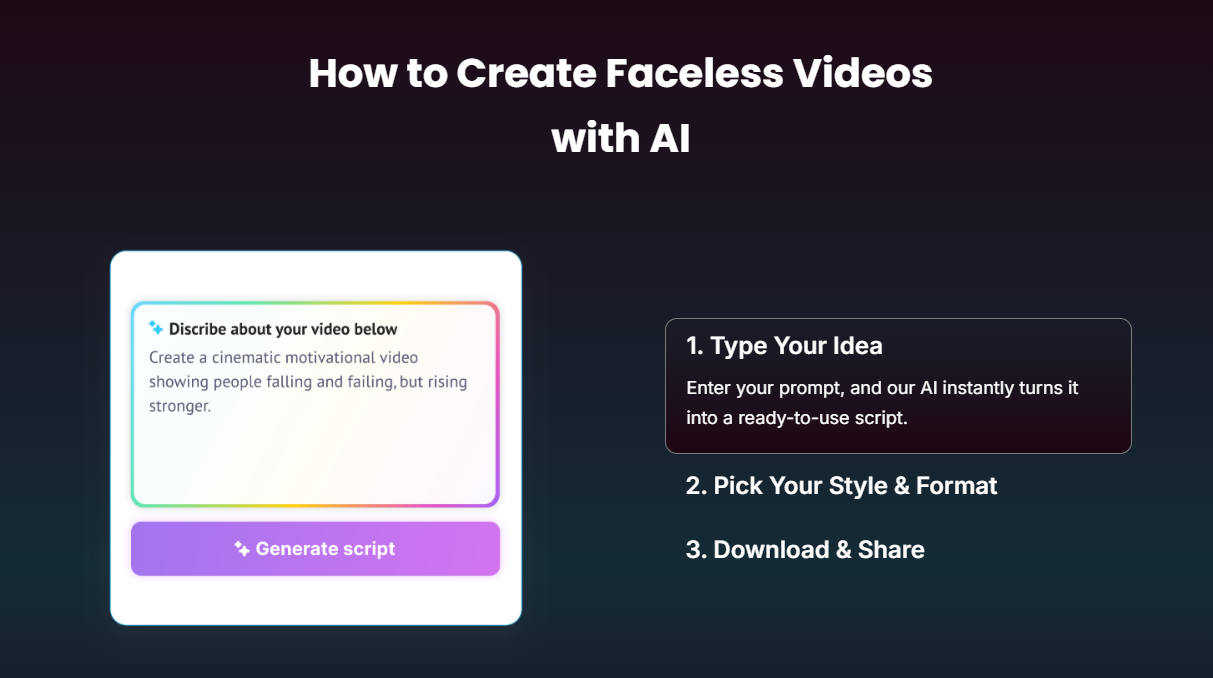
You only need to follow 3 steps to create Faceless Videos. Image source: Steve AI
Get to Know the Key Features
Steve AI offers two main categories of features: animation and live video. With these tools, you can enjoy results in just minutes, choose from over 1000 animated characters, and take advantage of AI algorithms that generate relevant content in multiple languages, understanding the context and theme.
Animation Video
- AI Text to Animation Video
- AI Blog to Animation Video
- AI Voice to Animation Video
Live Video
- AI Text to Live Video
- AI Blog to Live Video
- AI Voice to Live Video
Steve AI Pricing
Steve AI offers 4 flexible and affordable pricing plans, currently available with discounts.
- Basic ($15/month or $180 billed yearly)
- Smarter ($60/month or $540 billed yearly)
- Pro/Generative ($80/month or $720 billed yearly)
- Enterprise (Custom Pricing)
Each plan provides different monthly limits on AI video creation duration, access to media libraries, video quality, and animated characters. You can find full details about the limitations and options in the image provided below.
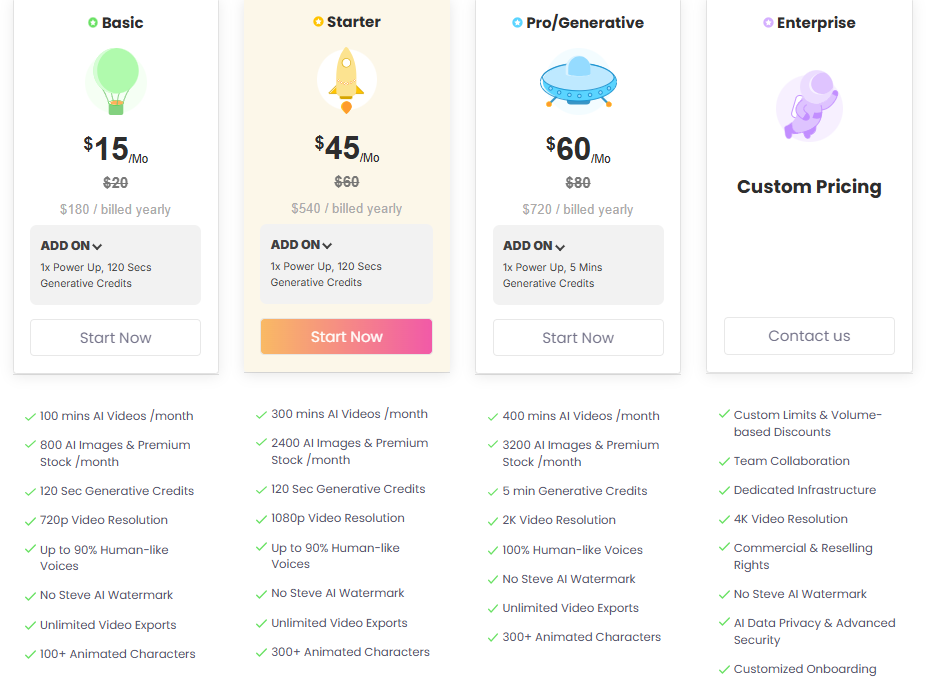
Steve AI Pricing. Image source: Steve AI
Final Thoughts
Steve AI offers a broad range of tools and uses cases across various themes and needs. The AI-powered solutions are designed to deliver high-quality results in different content types. Additionally, it allows you to turn written or audio content into compelling visual formats with ease.
If you are interested in this topic, we suggest you check our articles:
- AI in The Movies: From Scriptwriting to Visual Effects
- Creative Social Media Content with AI Editing
- AI Posts: Innovative Solutions for Creating Engaging Facebook Content
Source: Steve AI