In the dynamic and fast-paced era of technology and artificial intelligence (AI), it’s easy to feel overwhelmed. Different features, tools, or usage specifics can be confusing and ultimately useless. Fortunately, platforms like Vozo offer users a suite of AI services that integrate multiple features and tools into a single, simple-to-use solution. This time, the focus is on visual content with innovative tool functionalities.
What is Vozo?
Vozo believes that video is a powerful way for businesses to tell their stories. With advanced AI tools, the company enables you to develop storytelling video content regardless of your creative skills or technical knowledge, thanks to its ease of use.
Currently, the services are available not only via web but also as beta versions for Android and iOS operating systems. The tool supports dubbing of videos up to 5 minutes long and translation up to 10 minutes.
The company applies the following solutions:
State-of-the-art 3D face reconstruction, combining proprietary lip-sync models.
High-quality voice synthesis – trained on millions of high-quality video samples.
Accurate translation and adaptation – next-generation algorithms ensure contextual understanding to incorporate tone, cultural nuances, and more for any audience in the world.
Precise automatic subtitling.
AI Tools Offered by Vozo
Vozo supports video content creation and management with the following AI tools:
Video Generation
- AI Lip Sync Video Generator. Synchronize any video into different languages while maintaining accurate, high-quality lip sync, even with multiple speakers. Choose AI avatars and enjoy precise results for various head movements and positions — even in complex scenarios with more than one speaker.
The platform ensures ease of use:
- Upload a video and select an audio source – either an audio file or the audio from the uploaded video.
- Choose between standard or precise modes and select faces for lip sync application.
- Manually edit and download the video.
- AI Talking Photo Generator. Animate any type or style of photo into a talking image. Use over 300 AI voices in any language and adapted dialects.
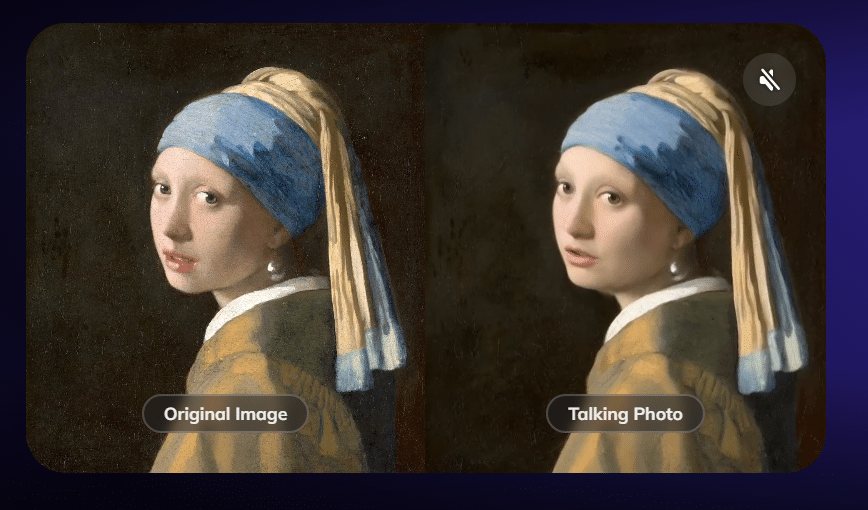
You can turn an existing photo into a talking animated picture. Image source: Vozo
- AI Shorts Generator. With one click, split a long video into 10 shorter pieces, ready to use on various platforms including TikTok or Reels.
Video Editing
- AI Rewrite & Dub. A range of features enables you to transform videos in seconds. Rewrite or refine scripts, change voices. Vozo also allows dubbing using original cloned voices that retain all emotions, tone, and unique speaker traits.
- AI Subtitles. Add automatic and dynamic subtitles to your videos with 98.9% accuracy. Choose from over 200 stylish templates and animated effects.
- AI Voice Editor. This tool detects and separates speech from background noise and automatically segments and transcribes voices into editable text. You can enter any text and hear it voiced in your existing tone. Additionally, you can clone your voice in real time with a 20-second recording, adjust pitch, speed, and more.
Video Localization
- AI Video Translator & Dubbing. A unique tool that transcribes, translates, and dubs videos using AI. Translate videos into over 60 languages, all with accurate translations, contextual understanding, stylistic adaptation, or simply add an AI-generated voiceover. The AI dubbing feature allows fast, cost-effective, large-scale voiceover creation in multiple languages.
- AI Face Swap. In a recorded video scene, you can transform characters and change their facial features. The face remains realistic, reflecting original expressions, skin tone, and overcoming head turns, side profiles, or dynamic movements.
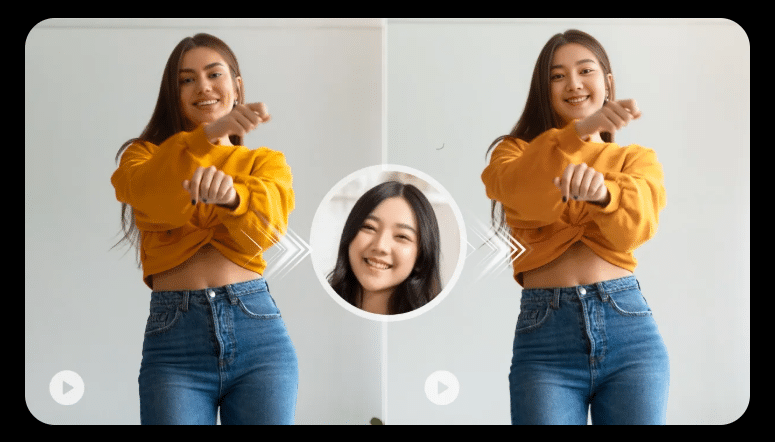
Face Swap feature. Image source: Vozo
Main Use Cases for Vozo
Marketing & Advertising
Turn your creative ideas into engaging videos and full-scale campaigns. Turn archive photos into talking ads, refresh product presentations, or translate commercial clips into other languages.
Education & Training
Educational and training materials can be easily synchronized and transformed into multilingual content. Vozo ensures high-quality lip sync, and your material can be used for learning projects, online courses, and more.
E-commerce
No need for repeated descriptions to update seasonal campaigns and offers or to adapt your content to other markets.
Content Creation & Social Media
Not only will you optimize content for international audiences, but you’ll also be able to edit it, create viral clips, or turn long videos into short films.
Media & Entertainment
Deliver international news more easily, with video quality ensured by advanced AI algorithms. Creating multilingual videos will retain the original voices.
Vozo Pricing
Vozo offers three plans based on your needs and expectations, with the option to try the service for free for 7 days after registration. You can find a detailed plan comparison by clicking here.
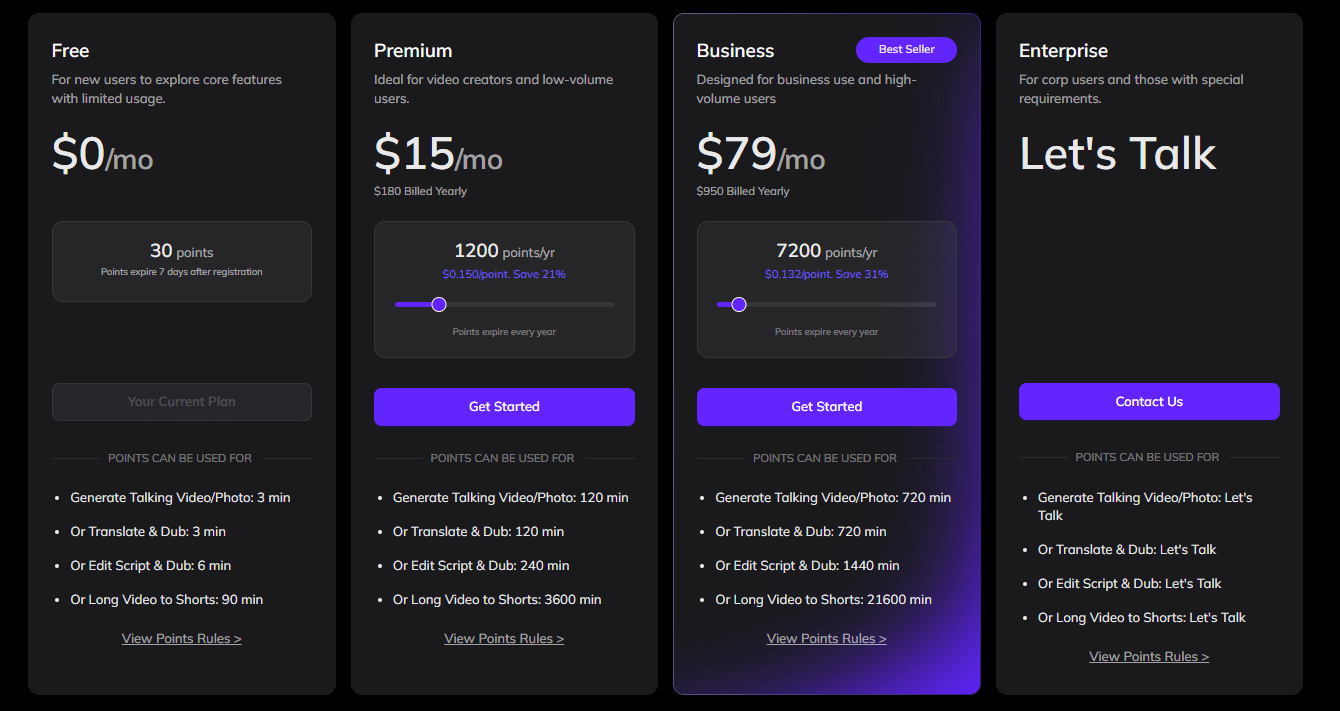
Pricing for different plans. Image source: Vozo
- Premium ($15/mo / $180 Billed Yearly) – designed for video creators and users working with small volumes.
- Business ($79/mo / $950 Billed Yearly) – for growing needs and business purposes.
- Enterprise (Custom) – for corporations or individual users who prioritize video content.
Final Thoughts
Vozo enters the market with an outstanding value proposition focused on video quality – lip synchronization, precise translation, and more. This tool is ideal for users who pay attention to detail and want accurate AI applications while maintaining a sense of realism.
If you are interested in this topic, we suggest you check our articles:
- AI in The Movies: From Scriptwriting to Visual Effects
- Quality Social Media Content Production Courtesy of Ocoya
- Zebracat: Impactful Video Creation using AI, Hassle-Free
Source: Vozo