Key Takeaways
- On CPU, yes. The 18-core M5 Max posts Geekbench 6 multi-core scores around 29,200–29,430 and single-core around 4,270–4,338, ahead of every other laptop chip and ahead of Apple’s own M3 Ultra desktop part.
- On GPU, no. A laptop RTX 5090 beats the 40-core M5 Max by roughly 31% in Geekbench AI GPU tests and about 62% in Cyberpunk 2077 when plugged in.
- Chassis matters more than usual. Notebookcheck measured the 16-inch model running roughly 15–18% faster than the 14-inch with the identical chip, and concluded the 14-inch cannot cool it properly.
- The M5 Max uses Apple’s new Fusion Architecture, bonding two third-generation 3nm dies — CPU and GPU on separate silicon — into one package.
- Core layout changed: 6 “super cores” plus 12 new performance cores, replacing the older performance/efficiency split.
- Memory bandwidth rises to 614GB/s at up to 128GB unified, versus 546GB/s on M4 Max. SSD reads and writes roughly double, peaking near 14.5GB/s.
- Every GPU core carries a Neural Accelerator, which is where Apple’s claim of over 4x peak GPU compute for AI originates.
- Pricing starts at $3,599 for the 14-inch and $3,899 for the 16-inch. A maxed 14-inch review unit ran $5,849.
- Battery life reached 17 hours 58 minutes in Tom’s Hardware testing — unusual for a chip in this performance class.
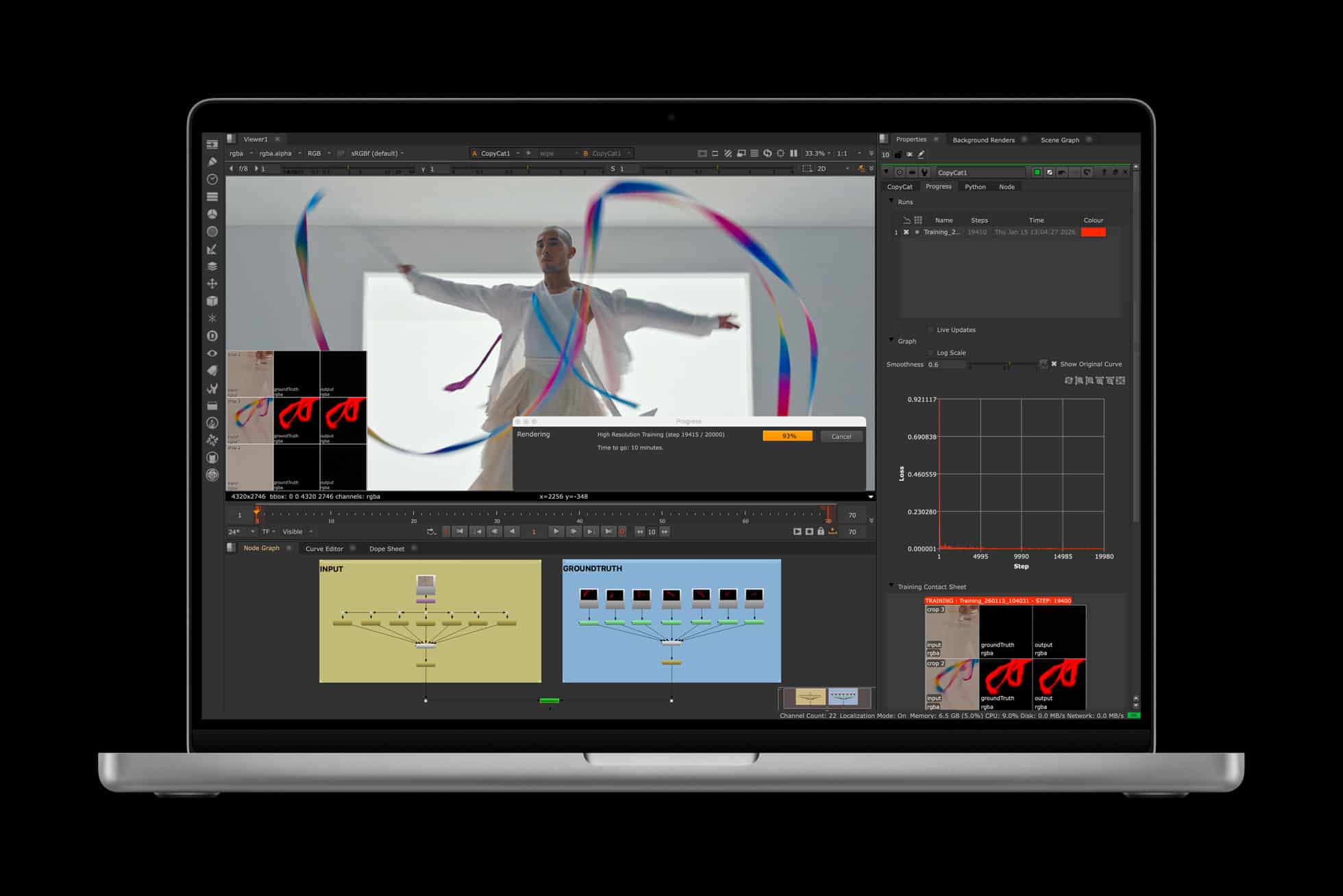
With the power of M5 Pro and M5 Max on MacBook Pro, AI researchers and developers can train custom models locally, and creative professionals are able to leverage AI-powered tools for video editing, music production, and design work. Image credit: Apple
The MacBook Pro with M5 Max is the fastest laptop in the world on processor performance, and it is not close. Independent Geekbench 6 results put its multi-core score between 29,233 and 29,430, with single-core between 4,268 and 4,338. The nearest Windows machine Tom’s Hardware had on hand, an Asus ZenBook Duo with Intel’s Core Ultra X9 388H, managed 3,031 and 17,283. Qualcomm’s Snapdragon X2 Elite Extreme, the strongest Arm-based Windows chip of 2026, lands near 23,200 multi-core. Apple’s own M3 Ultra, a 32-core desktop part, scores 27,726.
The title stops being clean the moment you leave the CPU. A 16-inch gaming laptop with an Nvidia RTX 5090 wins graphics, CUDA workloads, and raw local model throughput by wide margins. A mobile workstation like the Dell Pro Max 18 Plus supports 256GB of memory and 16TB of storage that no MacBook can match. And the M5 Max only reaches its own ceiling in the 16-inch chassis — the 14-inch throttles it hard enough that reviewers recommended against the pairing. So: fastest laptop CPU, unambiguously. Fastest laptop, depending entirely on what you do for a living.
What Apple Changed With Fusion Architecture
MacBook Pro with M5 Pro and M5 Max provides tremendous performance boosts, featuring a new CPU with the world’s fastest CPU core, a next-generation GPU with a Neural Accelerator in each core, and higher unified memory bandwidth. Image credit: Apple
Every M-series Pro and Max chip through the M4 generation lived on a single piece of silicon carrying CPU, GPU, Neural Engine, media engines, and memory controller together. The M5 Pro and M5 Max split that apart.
Apple calls the result Fusion Architecture: two third-generation 3nm dies, one carrying the processor and one carrying the graphics, bonded into a single system on a chip through advanced packaging widely reported to be TSMC’s SoIC-mH process. Separating the dies improves manufacturing yields, gives Apple thermal headroom it did not have before, and allows different CPU and GPU combinations without redesigning one monolithic chip. Apple had used multi-die packaging in its Ultra parts, but this is the first time it appears in a laptop.
The core naming changed with it. The M5 Max carries an 18-core CPU built from six “super cores” — Apple’s highest-performance design — and twelve new performance cores. Those twelve are not rebadged efficiency cores; Apple engineer Anand Shimpi described them as a new microarchitecture built for multi-threaded work. The M4 Max, by comparison, ran 16 cores in a conventional performance-plus-efficiency split.
Where the AI Claims Come From
The GPU scales to 40 cores, matching the M4 Max on count, but each core now contains a Neural Accelerator. That is the source of Apple’s headline claim of more than four times the peak GPU compute for AI versus the previous generation. General graphics improve more modestly — up to 20% overall, up to 35% on ray tracing. A separate 16-core Neural Engine handles Apple Intelligence tasks with a faster memory connection.
Announcing the machines, Apple hardware chief John Ternus said the new MacBook Pro is “now up to 4x faster than the previous generation” and framed on-device language model work as the point of the exercise. The pattern matches the direction visible across the recent generations — our breakdown of how the M3, M4 and M5 chips compare traces where each generation spent its transistor budget.
M5 Max Specifications Against M4 Max
| Attribute | M5 Max | M4 Max |
|---|---|---|
| CPU cores | 18 (6 super + 12 performance) | 16 (performance + efficiency) |
| GPU cores | Up to 40, Neural Accelerator in each | Up to 40, no per-core accelerator |
| Neural Engine | 16-core, faster memory connection | 16-core |
| Unified memory | Up to 128GB at 614GB/s | Up to 128GB at 546GB/s |
| Storage | From 2TB, up to ~14.5GB/s | From 512GB, roughly half the throughput |
| Packaging | Two 3nm dies, Fusion Architecture | Single die |
| Wireless | Apple N1: Wi-Fi 7, Bluetooth 6, Thread | Wi-Fi 6E, Bluetooth 5.3 |
| Starting price (14-inch) | $3,599 | $3,199 at launch |
Benchmark Results Against the Field
Tom’s Hardware measured a 14-inch M5 Max at 4,338 single-core and 29,430 multi-core in Geekbench 6, with the 40-core GPU scoring 3,865 in 3DMark Steel Nomad — ahead of a Framework Laptop 16 carrying a discrete RTX 5070 at 3,009. A 25GB file transfer completed at 3,835 MB/s against 1,725 MB/s for the next fastest machine tested. Handbrake transcoded 4K to 1080p in one minute 55 seconds, roughly 90 seconds quicker than a Samsung Galaxy Book6 Ultra.
Two results deserve attention because they cut against the headline. In the Xcode compile benchmark, the M5 Max finished in 87 seconds — statistically level with an M3 Max at 85 seconds. Compilation is not where this chip’s gains live. And Cinebench 2026 stress testing started at 8,058 before dropping into the mid-7,000s as heat built, recovering to 7,990 by the fifth run. Cinebench estimated clocks around 4.6GHz single-core and 4.3GHz multi-core.
There is also a benchmark caveat worth stating plainly. Geekbench 6 scales poorly to very high core counts, which is why the 18-core M5 Max can outscore a 96-core Threadripper Pro 9995WX in that test while losing badly in workloads that actually use those cores. Treat Geekbench as a strong indicator of per-core design quality and a weak indicator of sustained throughput.
| Chip | Geekbench 6 single-core | Geekbench 6 multi-core |
|---|---|---|
| Apple M5 Max (18-core) | 4,268–4,338 | 29,233–29,430 |
| Apple M3 Ultra (32-core) | — | 27,726 |
| Apple M4 Max (16-core) | 4,060 | 25,702–26,675 |
| Snapdragon X2 Elite Extreme | 3,807 | ~23,200–23,407 |
| AMD Ryzen AI Max+ 395 | — | 18,407 |
| Intel Core Ultra X9 388H | 3,031–3,066 | 17,283–17,924 |
The 14-Inch Problem
The most consequential finding of the review cycle had nothing to do with rivals. Notebookcheck tested the same 40-core M5 Max in both chassis and reached a blunt verdict: “The MacBook Pro 14 cannot handle the M5 Max.”
The numbers support it. In Cinebench 2024 multi-core, the 16-inch scored 2,437 against 2,073 for the 14-inch — an 18% gap between identical silicon. In 3DMark Steel Nomad, 4,392 against 3,924. The 16-inch achieved that in Automatic power mode, with quieter fans, holding CPU power limits around 78W. The 14-inch drew up to 96W for one to two seconds during stress testing, then collapsed to 46W and settled at 42W. Reviewers also found the bundled 96W adapter insufficient, with Apple capping input at 97W even when a 140W supply is connected, meaning the machine pulls from the battery under peak load.
Apple has used a single heatpipe and two low-profile fans in these chassis for several generations. That design copes with the M5 Pro. It does not cope with the M5 Max. If you want the chip’s full output, the 16-inch is the only configuration that delivers it — a point worth weighing before spending four figures on upgrades.
Where the M5 Max Loses
Head-to-head testing against a 16-inch MSI laptop with an RTX 5090, 24GB of VRAM and 64GB of system memory produced a clean split. The Nvidia machine scored 215,000 in Geekbench OpenCL against 146,000 for the M5 Max, hit 168fps in 3DMark Steel Nomad Light against 132fps, and ran 62% faster in Cyberpunk 2077 while plugged in. In Geekbench AI GPU tests it finished 31% ahead, and Llama token generation reached 158.4 tokens per second on mains power.
Two things complicate that scoreboard. First, the Windows machine sheds much of its lead on battery — the Cyberpunk gap narrows to 8%, and in Steel Nomad Light it drops to 111fps, below the MacBook. The M5 Max performs identically whether plugged in or not. Second, the picture inverts in creative applications: Notebookcheck found the M5 Pro and M5 Max beating the RTX 5090 outright in PugetBench creator benchmarks, where Apple’s media engines and unified memory carry more weight than raw shader throughput.
Qualcomm wins a different category. The Snapdragon X2 Elite Extreme scores near 88,600 in Geekbench AI against roughly 57,000 for the M5 and M5 Pro, thanks to an 80 TOPS Hexagon NPU, and now ships with up to 128GB of on-package memory — though at 228GB/s rather than Apple’s 614GB/s. For sustained language model work, bandwidth usually decides the outcome.
Local AI Is the Real Argument for This Machine
The combination that makes the M5 Max distinctive is 128GB of unified memory at 614GB/s in a bag you can carry. Because the memory is unified, nearly all of it can be addressed by the GPU — something no discrete graphics card in a laptop offers, since a mobile RTX 5090 tops out at 24GB of VRAM.
In practice that means models which previously needed a desktop workstation now fit in a laptop. Tom’s Hardware ran Google’s Gemma 3 27B in LM Studio with plenty of memory to spare and reported fast token generation. Third-party testing in April 2026 put a 4-bit quantised 70B-class model at roughly 12 tokens per second on the M5 Max — usable for interactive work, though that figure comes from independent testing rather than Apple or a benchmark suite, and quantisation settings move it considerably.
The trade-off is unchanged from previous generations: unified memory wins on capacity, discrete accelerators win on batched throughput. Anyone weighing that decision will find our guide to running language models locally on a laptop useful for sizing hardware to a specific model, and the same specialisation logic driving purpose-built inference silicon in data centres applies in miniature here.
Price, Configuration, and Whether to Buy
The 14-inch M5 Max starts at $3,599 with an 18-core CPU, 32-core GPU, 48GB of memory and 2TB of storage. The 16-inch starts at $3,899. Moving to the 40-core GPU adds $300. The nano-texture display, configurable only through Apple’s website, adds $150. Memory jumps cost $200 to reach 64GB and $1,000 to reach 128GB. Storage runs $600 for 4TB and $1,800 for 8TB. A fully specified 14-inch review unit came to $5,849.
Those upgrade prices sit inside a memory and storage market under severe pressure, which is squeezing every manufacturer — the same shortage that has pushed consumer storage prices to absurd levels elsewhere. Apple’s markups look less exceptional in 2026 than they did two years ago, which is faint comfort but accurate.
The upgrade calculus is straightforward. Coming from M1 or M2, the gains are large across the board. Coming from M3 Max, expect substantial improvement in graphics, memory bandwidth and storage, but very little in compilation. Coming from M4 Max, the case narrows to AI workloads, GPU rendering and the faster SSD. And Bloomberg has reported an M6 MacBook Pro arriving late in 2026, with a revamped M7 model in the first half of 2027 — a shorter cycle than usual, which is worth factoring in if your current machine still copes.
The Verdict on the Fastest Laptop Question
Call it three answers. For processor performance, the M5 Max holds the crown outright and beats desktop chips from Intel and AMD while drawing a fraction of their power. For graphics and CUDA-dependent work, an RTX 5090 laptop wins and will keep winning. For expandability and sustained workstation throughput, an 18-inch machine with CAMM2 memory and four SSD slots does things no MacBook can.
What the M5 Max delivers that nothing else matches is the combination: record CPU performance, competitive graphics, 128GB of high-bandwidth memory, nearly 18 hours of battery, and identical output on mains or battery, in a 1.62kg body. Buy the 16-inch if you intend to use the chip properly. Buy the 14-inch only if portability outranks the 15% you leave on the table. Anyone shopping the broader category will find context in our comparison of the leading AI laptops and their accelerator options.
If you are interested in this topic, we suggest you check our articles:
- MacBook M3 vs M4 vs M5: Chip Performance Compared
- Local AI Models: Run LLMs on Laptop and Phone
- Best AI Laptops: Ultimate Comparison Guide and Reviews
- What Is a Tensor Processing Unit (TPU)? A 2026 Guide
- Essential Materials for AI Chip Production and Manufacturing
Sources: Apple Newsroom, Tom’s Hardware, Notebookcheck 14-inch review, Notebookcheck 14 vs 16 comparison, MacRumors, Tom’s Guide, Notebookcheck PugetBench results, StorageReview
Written by Alius Noreika