
Video APIs empower developers to integrate advanced video capabilities into applications seamlessly.
These powerful tools handle generation, editing, streaming, and analytics, transforming static content into dynamic experiences.
Early in your stack, integrate the Flux API for superior image-to-video layering, boosting detail and realism right from project kickoff.
What Are Video APIs?
Video APIs give developers programmatic access to video processing features.
Businesses can process video for tasks ranging from text to video and real-time streaming optimization without the expense of building a video pipeline infrastructure themselves.
Core APIs upload media, create clips from prompts, and return results.
They encapsulate the complexity of rendering engines to deliver high-quality video creation to teams of all sizes.
Why Video APIs Matter Today
Visuals are a critical component of engagement.
Video APIs can accelerate visual innovation in applications through personal demo videos, interactive tutorials, and automated generation of social content.
Production time is reduced from weeks to minutes, with more attention on story and strategy.
Workload can be scaled up or down for spikes in activity, such as viral marketing campaigns or company-wide training events.
Key Features to Prioritize
Generation Capabilities
High-performing APIs for text-to-video synthesis are able to produce realistic movements, lighting and transitions for video segments from short prompts, with the best examples being long duration and high resolution.
Editing and Customization
Advanced editing features include the ability to use effects over time, frame-level accuracy, and style transfers.
Motion controls, such as pans or zooms, create cinematic effects without needing keyframes.
Streaming and Delivery
These include adaptive bitrate streaming playback across devices and platforms, and analytics endpoints to measure viewer engagement as a part of iteration.
Security features such as encrypted endpoints and rate limiting prevent abuse; further, cost models for certain features help ensure efficient use in large projects.
12 Ways to Supercharge Your Video API Integrations
Developer guides emphasize practical optimizations here are actionable steps to elevate your projects.
- Master Prompt Engineering: Write detailed inputs specifying style, pacing, and elements. Phrases like “smooth aerial drone shot” yield professional results.
- Adopt Unified Access: Use single endpoints accessing multiple engines for easy A/B testing and variety.
- Segment Long Outputs: Break extended videos into short clips, then stitch for consistent quality.
- Control Motion Dynamics: Dictate camera paths and speeds in prompts for engaging narratives.
- Batch for Efficiency: Process dozens of videos overnight to populate content pipelines.
- Apply Brand Styles: Lock in visual themes across outputs for cohesive branding.
- Incorporate Feedback Loops: Refine prompts using engagement data from prior clips.
- Build Fallbacks: Handle generation failures with shorter or simpler alternatives.
- Automate End-to-End: Script from input to upload for hands-off workflows.
- Test Multi-Platform: Ensure compatibility across web, mobile, and social formats.
- Layer Advanced Effects: Combine base generations with custom overlays for unique visuals.
- Track Resource Usage: Monitor per-clip costs and tweak for optimal efficiency.
These tactics deliver measurable gains in speed, quality, and reliability.
Core Use Cases Across Industries
Marketing departments utilize video APIs to personalize campaigns, creating product highlights from feeds.
E-commerce sites generate lifestyle videos that dynamically improve product listings.
Education platforms create explanatory videos to address learner questions, whereas social platforms use automated replies to trends to ease viral growth.
Creative studios experiment with narrative shorts, iterating quickly.
Enterprise applications include embedded moderation and accessibility features, as well as applications for consumers or those that involve B2B interactions.
Comparison of Video API Categories
| Category | Strengths | Ideal For | Limitations |
| Text-to-Video | Prompt-driven creation | Marketing, social clips | Shorter max lengths |
| Streaming APIs | Real-time delivery | Live events, platforms | Higher bandwidth needs |
| Editing Suites | Precise modifications | Post-production workflows | Steeper learning curve |
| Analytics-Enabled | Performance insights | Optimization loops | Data processing delays |
This breakdown aids in matching APIs to project goals.
Step-by-Step Implementation Guide
Setup Phase
Register the application to get API keys, then test the endpoints in a sandbox to map flows.
Core Integration
For generation use POST requests to /generate, to check if the model has been loaded use /status and to download the files use /download.
Webhooks are supported.
Optimization Tips
Cache assets, compress inputs, optimize sizes, rotate keys, pre-approve IP addresses, use authenticated encryption/decryption.
Error handling detects the code of the response, including transient errors to be retried and invalids to be adjusted. SDKs exist for Python and Node.js.
Advanced Techniques for Scale
Hybrid workflows combine newly generated clips and live footage.
Tags assigned to video clips allow searchable archives.
Federated access enables collaboration among teams.
Conditional logic routes outputs via premium engines for critical results.
Middleware integrates easily with legacy systems.
Edge deployment is low-latency (mobile-first apps).
Pro moves take prototypes into production.
Common Challenges and Fixes
Dealing with rate limits may require the use of queues and multi-provider fallbacks.
Versioning and testing are necessary for changing prompts.
Cost creep occurs with verbose inputs.
Audit and cap parameters can be added.
Regional limits can be solved with proxies/local caching.
Using reference images to improve quality.
Proactively monitoring to avoid downtime.
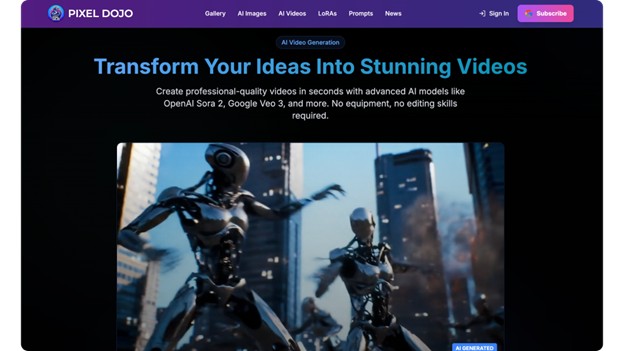
Pixel Dojo: A Training Ground for Mastery
Pixel Dojo is a set of structured drills, simulating video API scenarios, that aim to quickly gain expertise.
Emerging Trends Shaping the Future
Possible inputs include multimodal text, audio, and image, with numerous outputs.
Real-time co-editing is also possible.
Edge AI reduces latency, powered by efficient models, minimizing compute requirements.
Unified standards promise smoother ecosystems.
Best Practices for Long-Term Success
Quarterly audit integrations for effectiveness.
Train teams on new features. Balance innovation with reliability.
Foster user feedback loops.
Adopt behaviors that sustain advantage.
