
Key Takeaways
- ChatGPT Images 2.0 launched for all ChatGPT, Codex, and API users, with the matching
gpt-image-2model available for developers. - It is OpenAI’s first image model with reasoning capabilities, accessible through Thinking or Pro modes in ChatGPT.
- The model can generate up to eight consistent images from a single prompt.
- Output resolution reaches 2K through the API, with higher-than-2K results currently in beta.
- Aspect ratios stretch from 3:1 (ultra-wide) to 1:3 (tall portrait).
- Knowledge cutoff for the model’s world awareness is December 2025.
- Plus, Pro, and Business subscribers get extended outputs in Thinking mode.
- Codex users can generate images without needing a separate API key.
- Multilingual text rendering now handles non-Latin scripts with natural fluency.
- The model still struggles with origami instructions, Rubik’s cubes, and very dense repeating textures like grains of sand.
OpenAI has released ChatGPT Images 2.0, the company’s most capable image generation model to date, now available to all ChatGPT, Codex, and API users. The update arrives one year after the original ChatGPT Images launch and introduces reasoning capabilities to image generation for the first time, alongside sharper text rendering, multilingual fluency, and tighter control over composition. Below you’ll see ten standout images produced with the new model, each one chosen to highlight a specific capability the system handles better than its predecessors.
The headline change is that Images 2.0 can think before it draws. When paired with ChatGPT’s Thinking or Pro modes, the model browses the web in real time, runs internal checks on its own outputs, and can produce up to eight related images from a single prompt while keeping characters and objects consistent across the set. The model also pushes resolution up to 2K through the API, supports aspect ratios from 3:1 wide to 1:3 tall, and renders dense text more reliably across languages including Japanese, Korean, Chinese, Hindi, and Bengali.
What’s New Under the Hood
OpenAI describes Images 2.0 as a step from rendering toward strategic visual design. The model holds onto fine details that previous systems lost, things like small UI elements, iconography, dense compositions, and subtle stylistic instructions. It also reads briefs the way a designer might, filling gaps with relevant context drawn from broader world knowledge instead of asking for clarification.
Dwayne Koh, Creative Strategist at Canva, summed up the shift this way after testing the model: “What surprised us most was the detail GPT Image 2 added. It introduced elements we hadn’t considered, like a “viral on TikTok” sticker—a smart creative choice designed to build hype. The model wasn’t just rendering images. It was interpreting briefs, understanding audiences, and making creative decisions behind the scenes. We’ve been measuring AI on technical outputs. The real shift is creative reasoning and design taste—and that shift just happened.”
10 Images That Show What Images 2.0 Can Do
1. Two Aliens at a Café Table
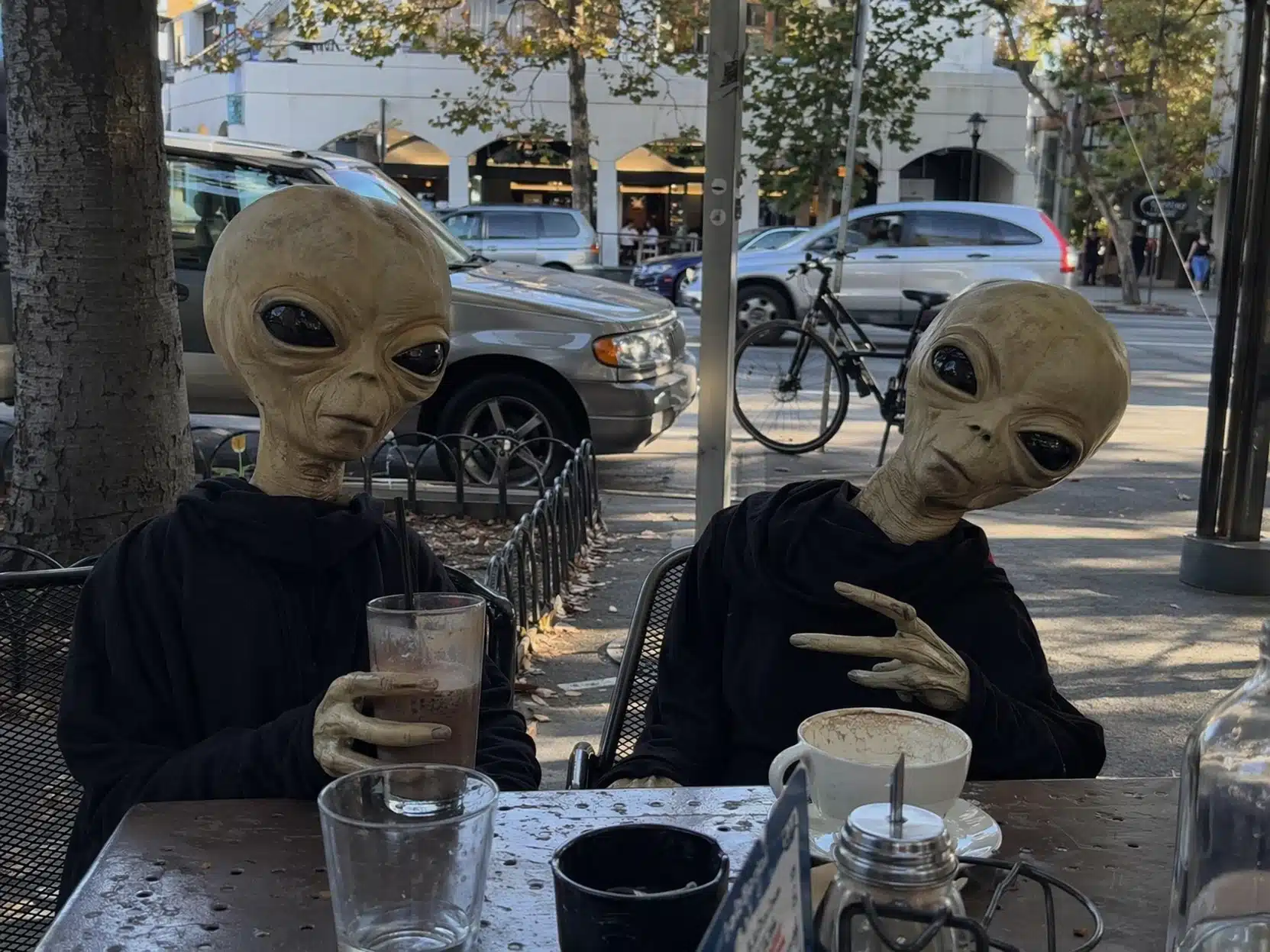
Two extraterrestrials share an espresso, leaning into each other across a small marble table. The scene tests how well the model handles non-human anatomy alongside everyday human props, and Images 2.0 keeps both the alien physiology and the café environment internally consistent.
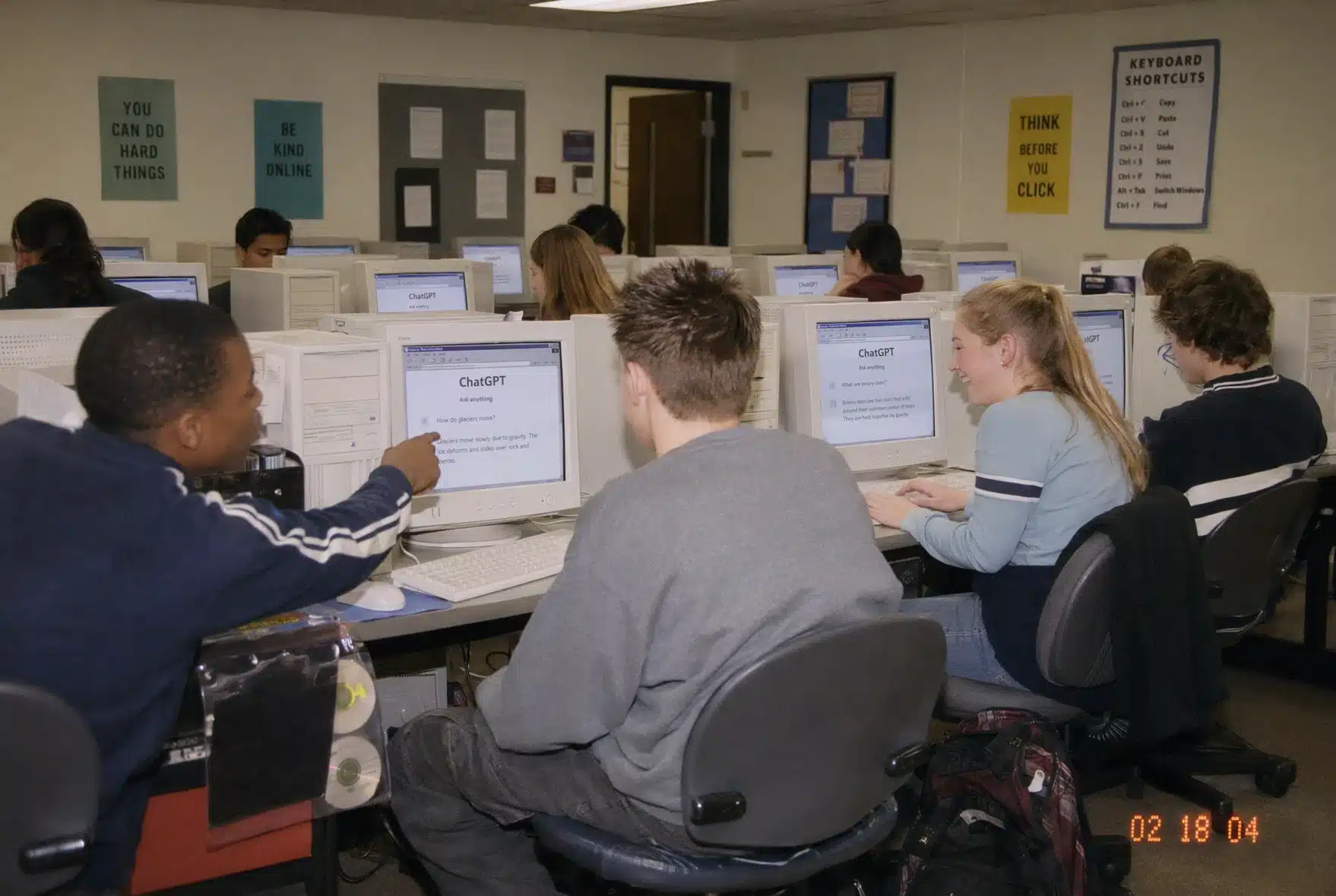
2. Students Laughing at a ChatGPT Assignment
A classroom of teenagers cracks up at something on a shared screen. The image shows the model’s grasp of group dynamics, varied facial expressions, and natural lighting in an interior setting. Each student reads as a distinct person rather than a copy-pasted face.
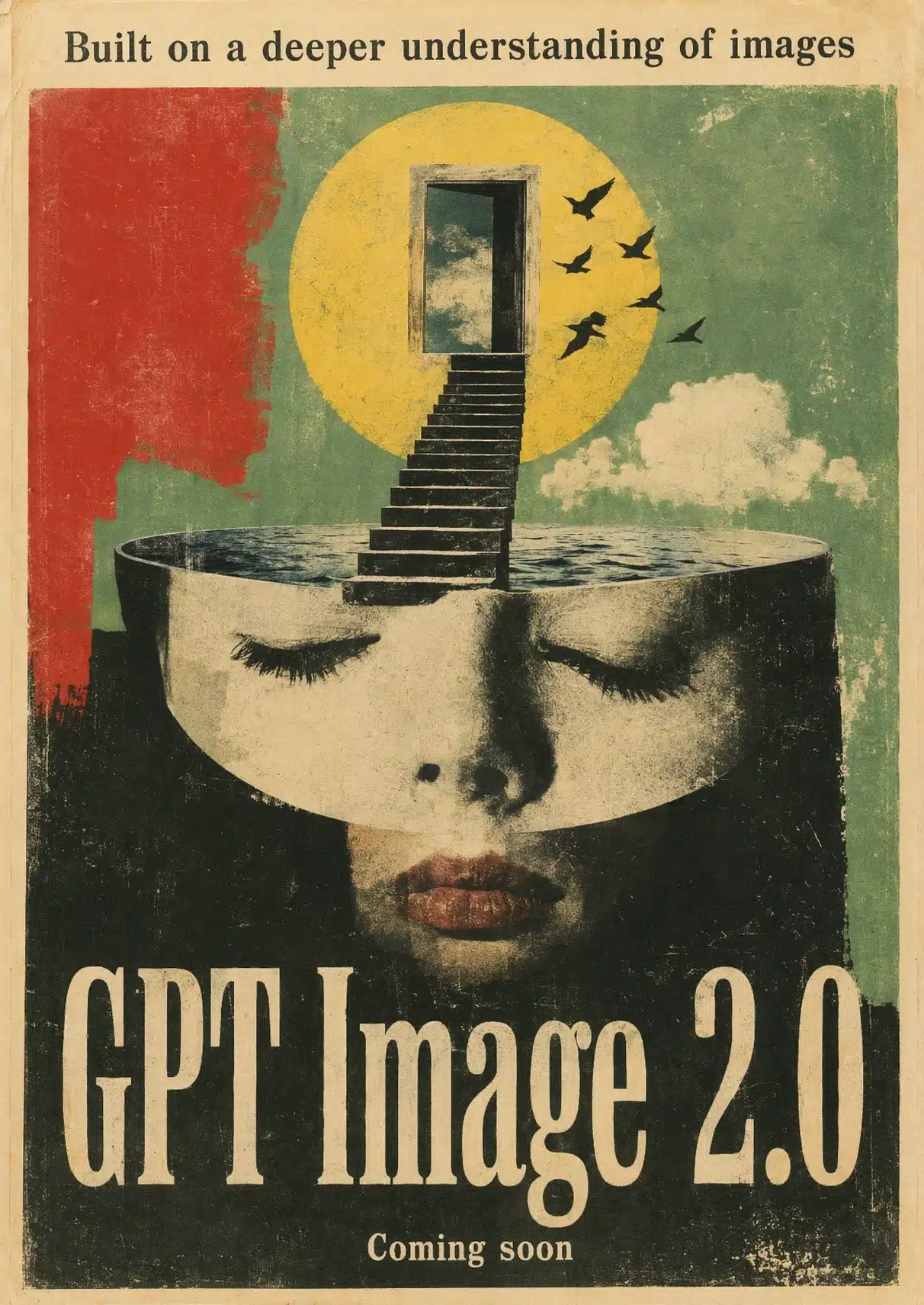
3. Surrealist Poster
A dreamlike composition with melting geometry, displaced shadows, and impossible architecture. Surrealism rewards a model that can break visual rules deliberately, and this image holds together as a single composed piece rather than a stack of strange elements.
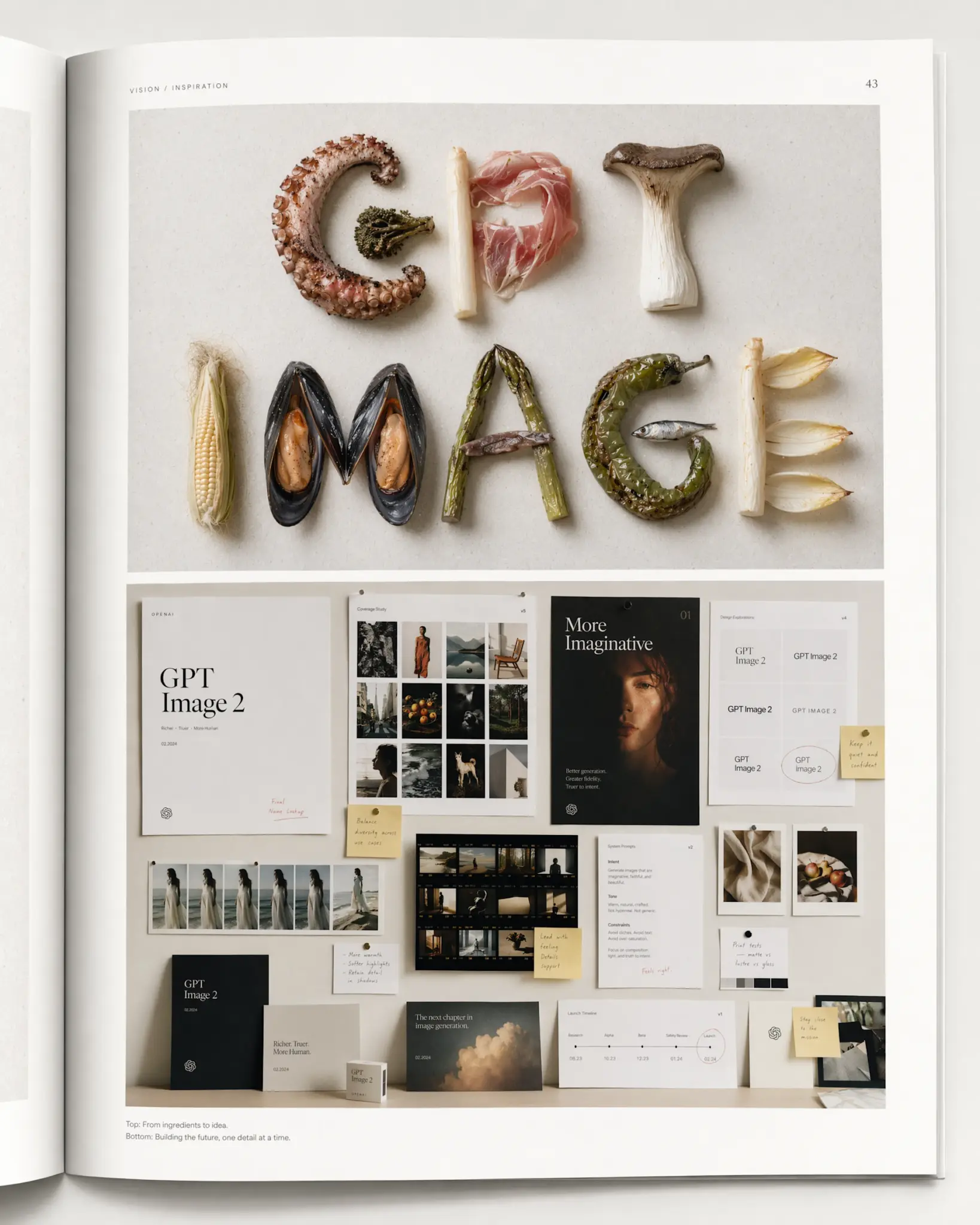
4. Typography Built from Food
Letters formed entirely from ingredients: pasta strands, coffee beans, sliced fruit, herbs. This is the kind of typographic exercise that tripped up earlier models, which tended to produce food shapes that vaguely resembled letters. Here, every character is legible.
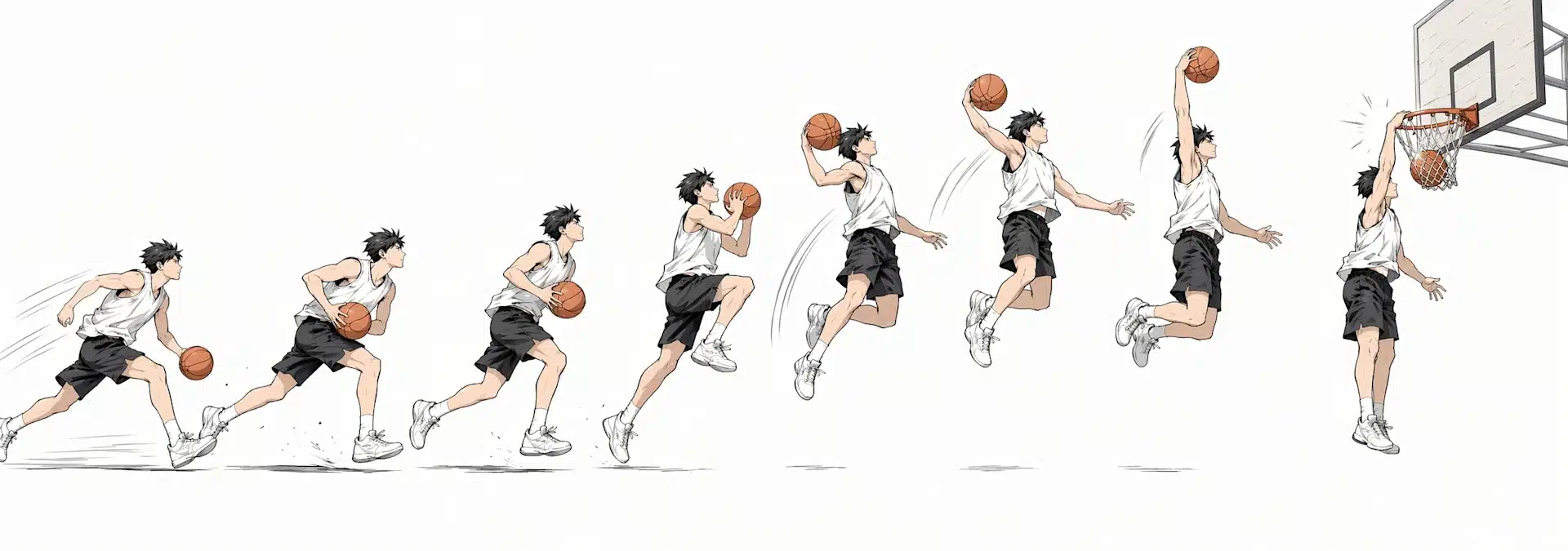
5. Basketball Dunk Time-Lapse Cartoon
A 3:1 ultra-wide panel breaks down a slam dunk into sequential poses, manga-style, against a light background. The wide aspect ratio is one of the new format options Images 2.0 supports, and the sequential motion shows the model maintaining a single character’s anatomy across multiple positions in one frame.
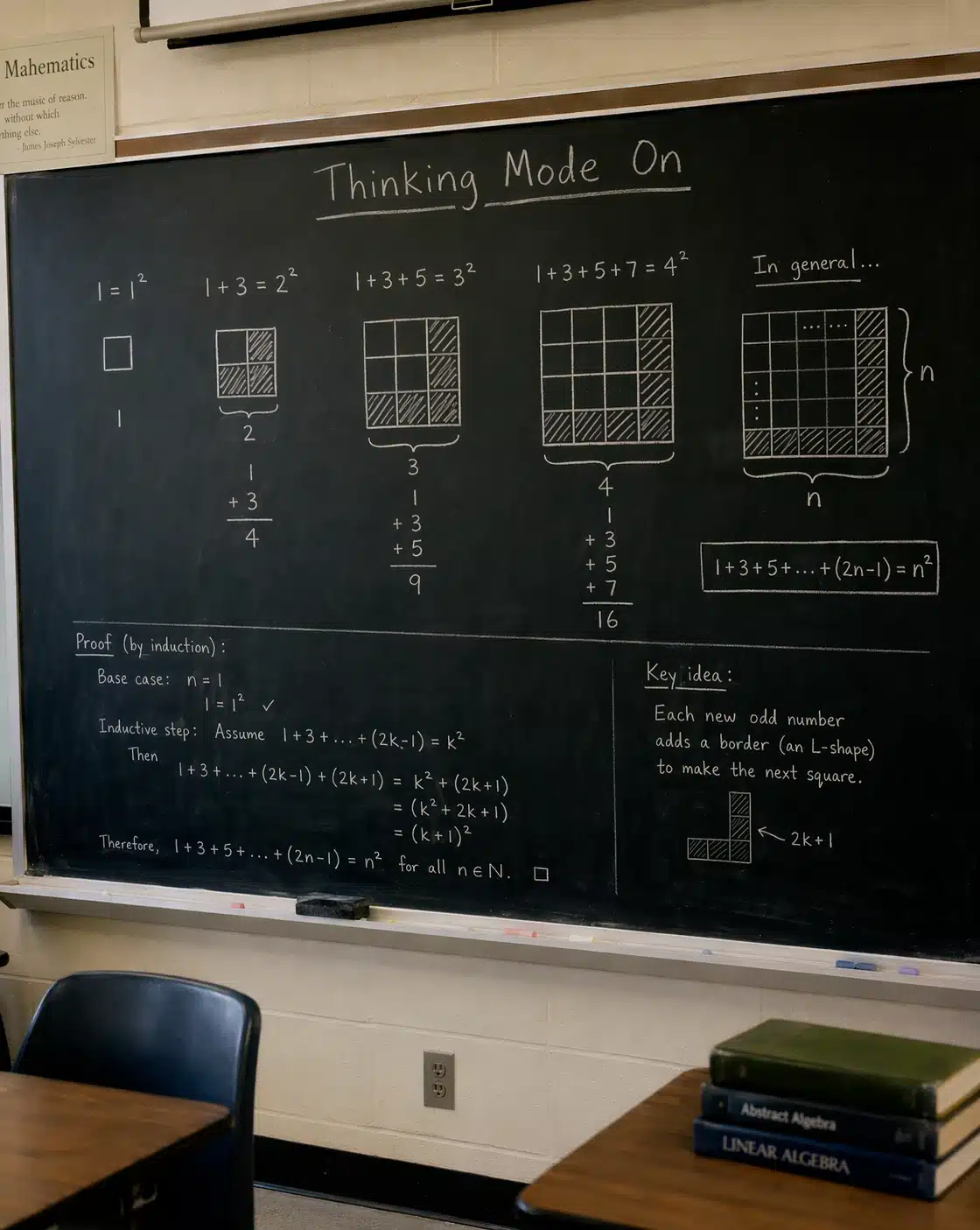
6. Mathematical Proof Infographic
A clean visual rendering of Cantor’s diagonalization proof, complete with grid notation, symbols, and explanatory text. This is where the reasoning model earns its keep: laying out a logical argument with deliberate white space, hierarchy, and accurate mathematical notation.
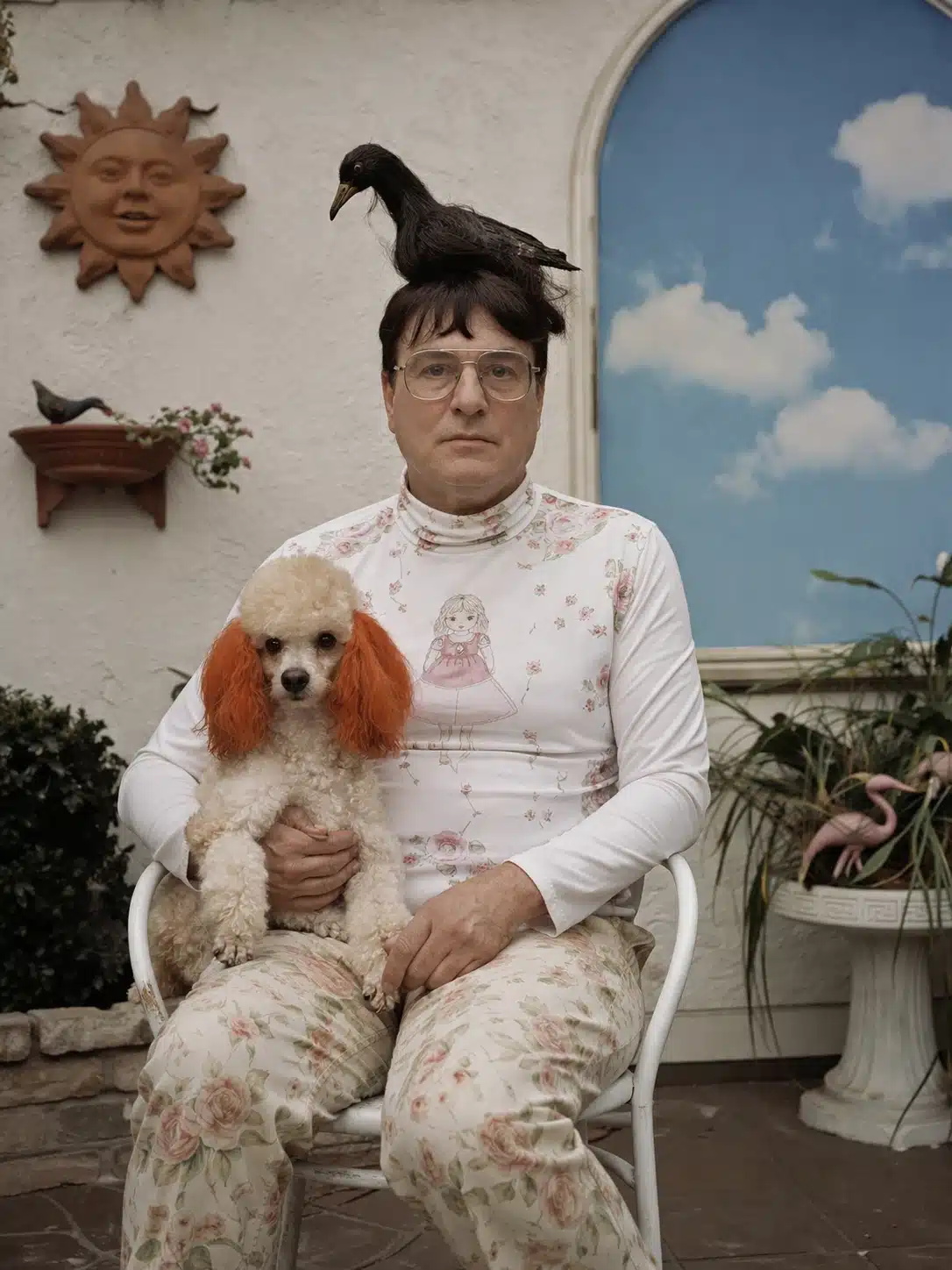
7. Bird Perched on a Person’s Head
A small bird sits on someone’s head while the person carries on, unbothered. The image tests believable scale, weight, and the soft texture of feathers against hair. Lighting on the bird matches the lighting on the person, which used to be a giveaway in older models.
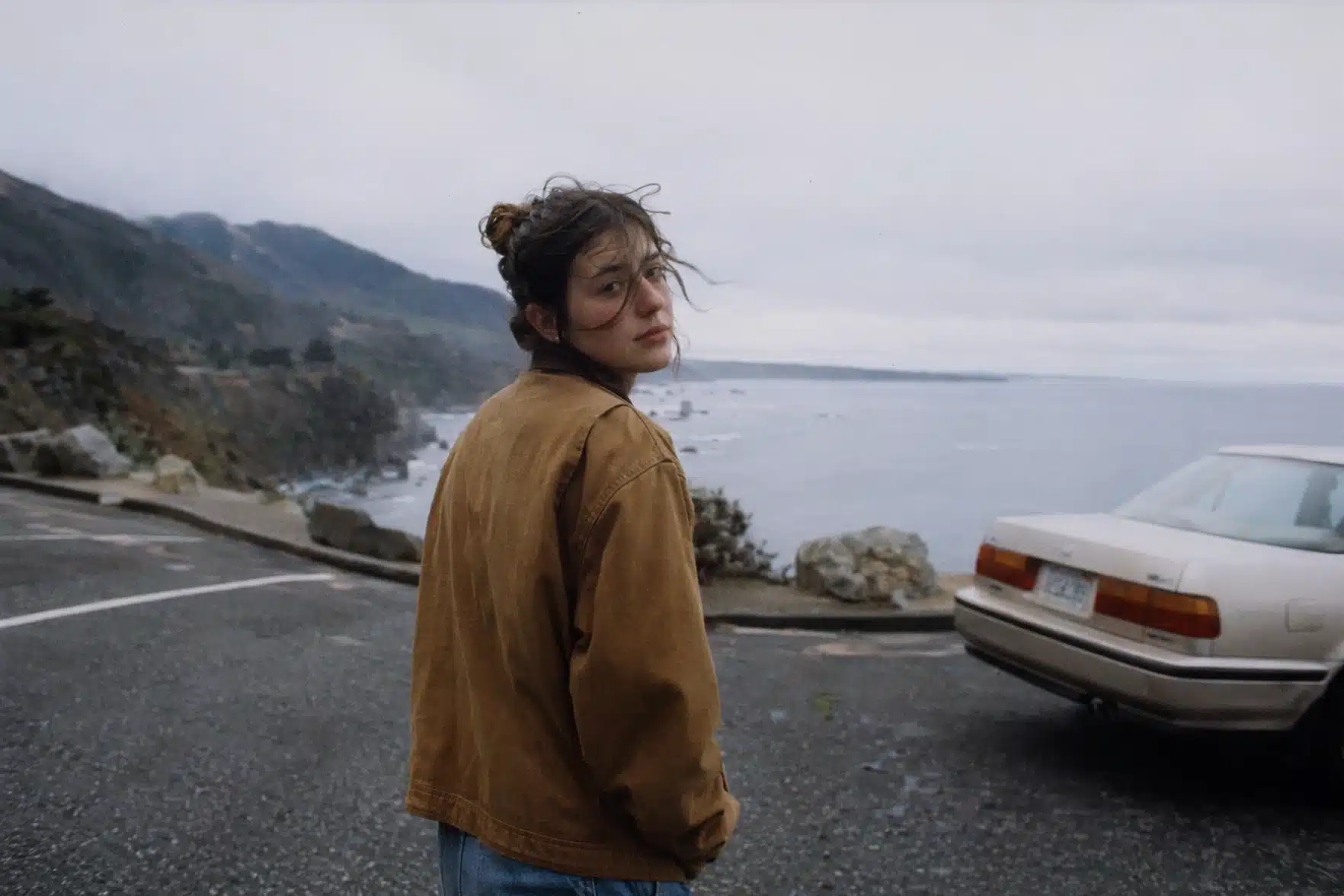
8. Hyper-Realistic Retro Photo of a Girl
A portrait that mimics film grain, slight motion blur, and the color palette of a 35mm point-and-shoot from roughly twenty years ago. The realism comes from imperfection: visible grain, off-center framing, an unstudied expression. OpenAI has emphasized this kind of “lived-in documentary” look as a target for the new model.
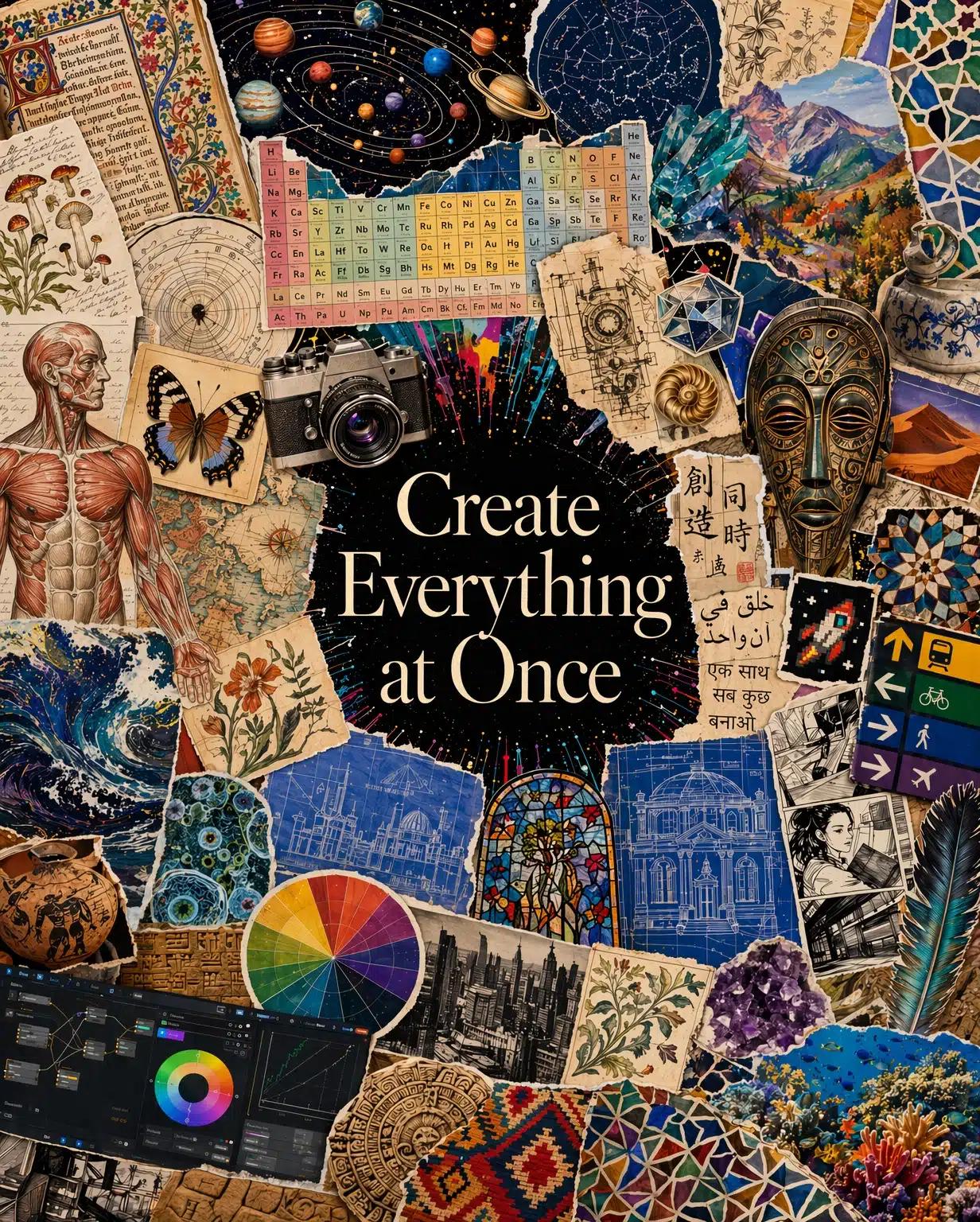
9. “Everything at Once” Style Image
A single composition layering multiple visual languages: pixel art, watercolor, photorealism, and line drawing all coexisting in one scene. It’s a stress test for the model’s ability to blend styles without collapsing into mush, and the result reads as intentional rather than glitchy.
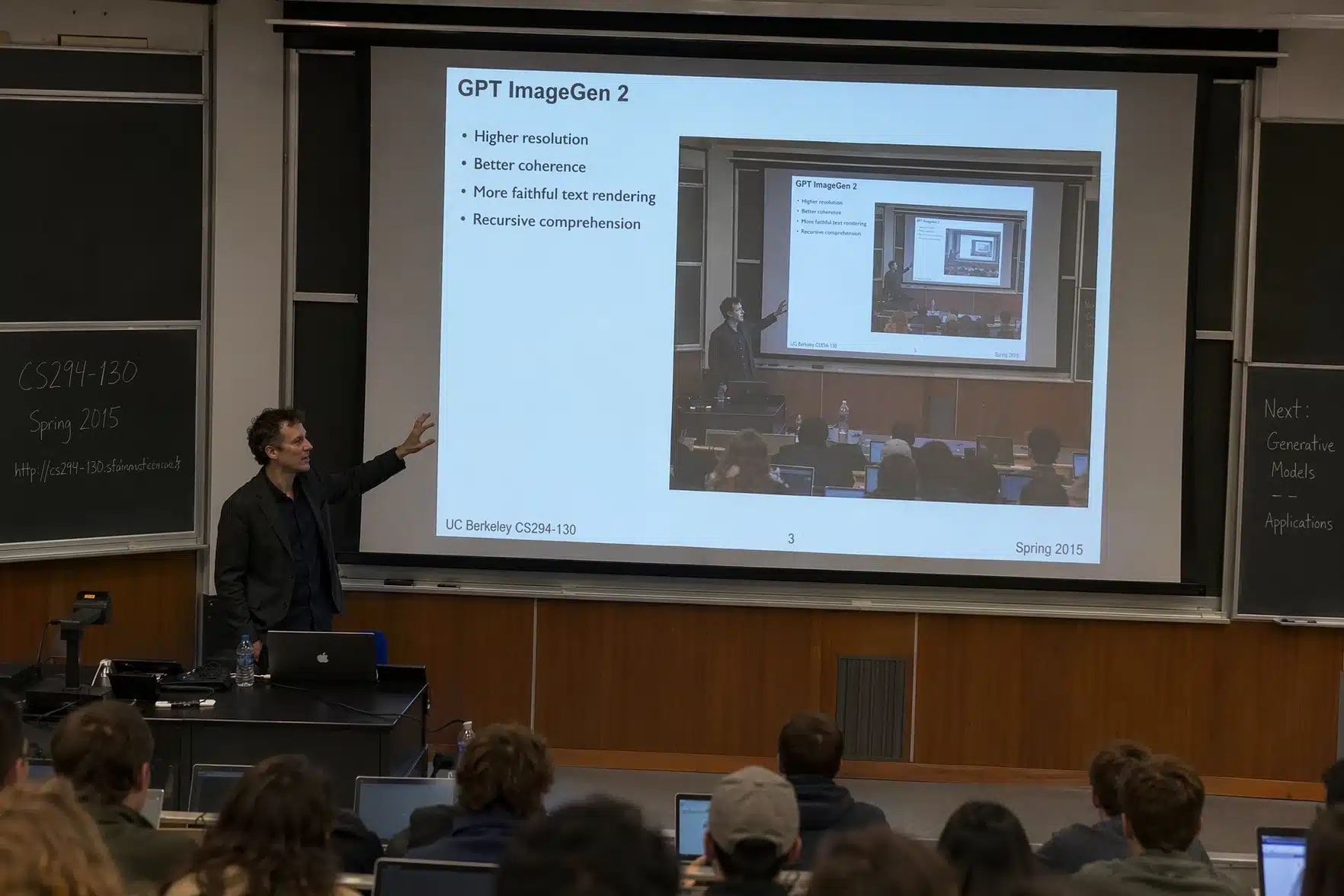
10. Recursive Classroom Presentation
A professor stands in front of a screen showing the same image: the professor in front of the same screen, repeating inward. The recursive composition demands that the model track the same character, room, and screen content across nested copies, which is exactly the kind of consistency Thinking mode is built to handle.
Capabilities at a Glance
| Capability | Details |
|---|---|
| Maximum resolution | 2K through API; higher resolutions in beta |
| Aspect ratios | From 3:1 wide to 1:3 tall |
| Multi-image generation | Up to 8 consistent outputs per prompt (Thinking mode) |
| Web access | Real-time browsing in Thinking and Pro modes |
| Knowledge cutoff | December 2025 |
| Languages supported | Strong rendering across Latin and non-Latin scripts |
| Self-checking | Model verifies its own outputs in Thinking mode |
Pricing and Access
ChatGPT Images 2.0 is available now to all ChatGPT and Codex users. Plus, Pro, and Business subscribers get extended outputs when running the model in Thinking mode. Codex users can generate images directly inside the same workspace they use for app and presentation work, without setting up a separate API key.
Developers can call the model as gpt-image-2 through the API, with pricing tied to the chosen quality and resolution. OpenAI is positioning this for production use cases like localized advertising, infographics, educational content, design tools, and website builders.
Where the Model Still Stumbles
OpenAI is open about what Images 2.0 cannot do well. Tasks that require a detailed physical model of the world, like origami folding instructions or correctly solved Rubik’s cubes, remain hard. Details that fall on hidden, angled, or inverted surfaces can come out wrong. Very dense repeating textures, such as individual grains of sand, push the model past its limits. Labels and diagrams should still be checked for accuracy, especially when they depend on precise arrows or part-by-part annotations.
Above 2K, API outputs are in beta and may produce inconsistent results between runs.
Why This Release Matters
A year ago, AI image generation was about getting something close to what you described. Images 2.0 is aimed at producing something usable on the first try, in the format you actually need, in the language your audience reads. For anyone who works with visuals at volume, that compresses a workflow that used to take several rounds of prompting, regenerating, and manual cleanup into a single conversation with the model.
If you are interested in this topic, we suggest you check our articles:
- OpenAI’s Upcoming Open-Source AI Model: The First ‘Truly-Open’ Language Model?
- What Are the New OpenAI Tools Launched to Help AI Agent Development?
- OpenAI: How Far is Sam Altman Willing to Go?
Sources: OpenAI
Written by Alius Noreika
